 CleanYourTV
CLEANYOURTV · Launcher comparisons
Projectivy Launcher vs FLauncher: when a simple grid is enough
For Projectivy Launcher vs FLauncher, keep FLauncher on your shortlist if you mainly want organised app shortcuts. Try Projectivy if you have a specific need for programme channels, icon customisation or wallpaper providers. A launcher that already gets your household to its usual apps does not need replacing just because another has more settings.
This guide compares Projectivy 4.72, original FLauncher 0.18.0 and the osrosal fork v2025.07.001, checked on October 30, 2026. It uses original documentation and source records. We have not run a TV, emulator or head-to-head performance test.
Is a simple grid already enough?
Start with an ordinary evening. You open a streaming app, switch to a media player, then occasionally use a utility. If everyone can find those apps and recognise the focused card, extra desktop features may add little value.
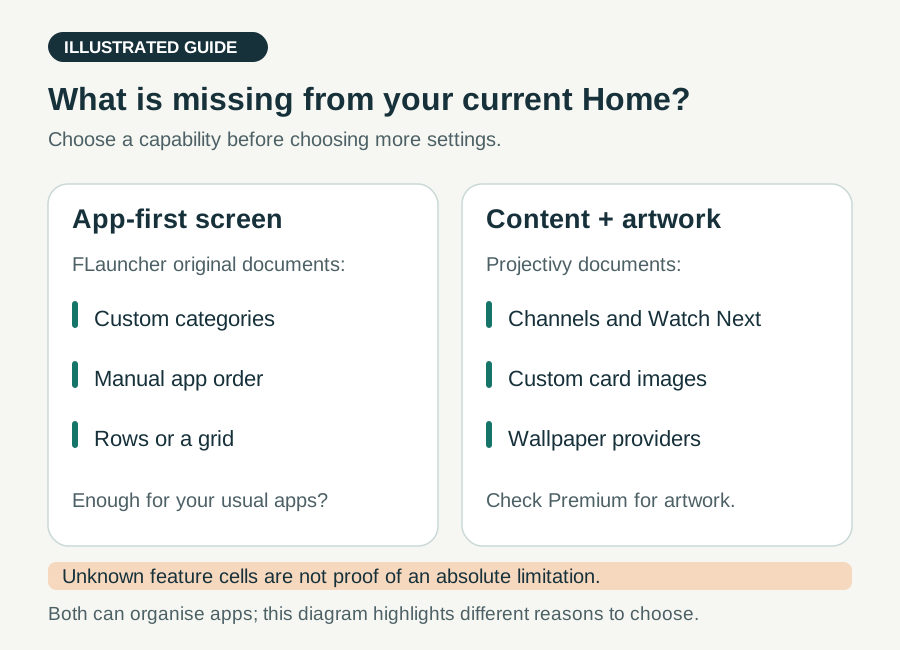
The original FLauncher feature list documents categories, manual ordering, row or grid layouts, a clock and wallpaper. It also lists access to non-TV apps; displaying their shortcuts does not establish remote-control compatibility. These are concrete reasons to consider it for an app-first screen.
The practical Projectivy Launcher vs FLauncher question is which missing capability would improve your routine. Write down one, such as “show programmes beside app shortcuts” or “replace inconsistent card artwork.” If you cannot name one, keeping a working layout is a reasonable choice. For more alternatives, use our Android TV launcher overview.
Which FLauncher are you comparing?
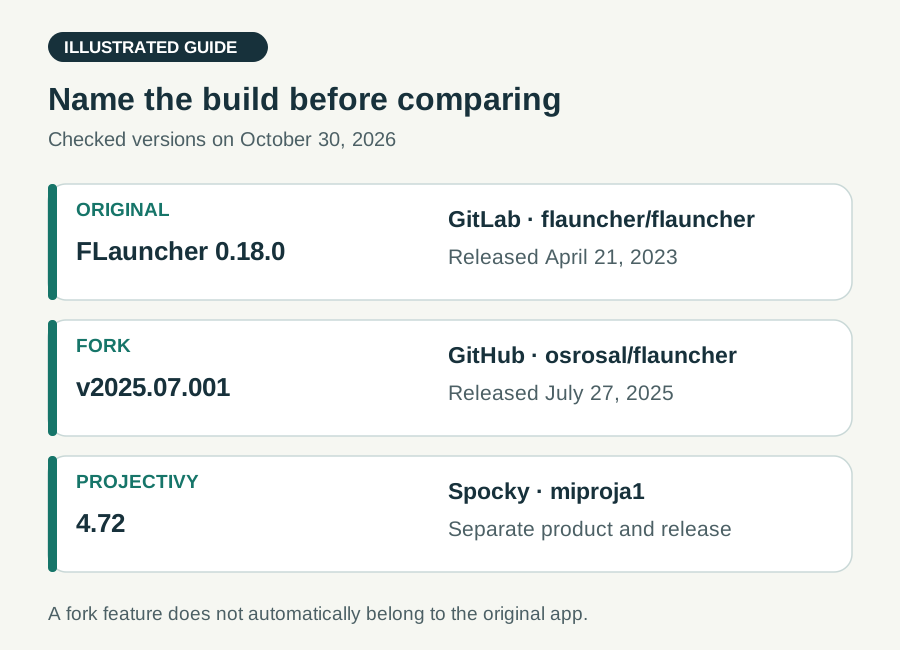
The name covers an original project and a separate community fork. Record both the publisher and version before comparing features or reporting a problem.
| Build | Version | Original source |
|---|---|---|
| FLauncher original | 0.18.0 | GitLab: flauncher/flauncher |
| FLauncher fork | v2025.07.001 | GitHub: osrosal/flauncher |
| Projectivy | 4.72 | Spocky's releases |
The original 0.18.0 release is dated April 21, 2023. At this check, its release and current master point to the same commit. Recent project activity is not evidence of a newer binary or feature update.
The osrosal release is dated July 27, 2025. Its repository explicitly identifies it as a fork. Use that repository's release when evaluating its changes; do not attribute them to the original Play package, me.efesser.flauncher.
Projectivy's checked stable release is 4.72. The Projectivy Launcher vs FLauncher comparison becomes misleading if “FLauncher” silently changes meaning halfway through. Release tags identify the versions discussed here; they do not certify the version installed on your television.
Projectivy Launcher vs FLauncher: match the feature to the task
| Need | FLauncher | Projectivy |
|---|---|---|
| Order apps | Original documents categories and manual order | Developer documents custom categories and shortcuts |
| Rows or grid | Original explicitly lists both | Configurable layouts, including grid behaviour |
| Show TV rows | Equivalent channel workflow not established here | Documents channels and Watch Next |
| Change card art | Equivalent icon-pack workflow not established here | Custom images and icon packs; Premium |
| Pick a home image | Original supports wallpaper with a file picker | Wallpaper providers and custom media options |
“Not established” means the checked material does not justify that comparison cell. It is not a claim that no version, extension or future release could provide the feature.
Consider two different households. One wants a Movies category and a Utilities category with a predictable order. FLauncher's documented organisation directly matches that task. Another wants programme rows and consistent replacement artwork across apps. Projectivy has explicit documentation for that workflow, though the artwork customisation involves Premium.
Programme cards also depend on participating apps supplying content through mechanisms such as Android Watch Next. An empty row is not automatically a launcher defect.
Use Projectivy Launcher vs FLauncher to compare the job you need done, rather than counting settings. After choosing Projectivy, our icon-pack guide explains its artwork workflow without expanding this comparison into another setup tutorial.
Source access, dependencies and the cost of your layout
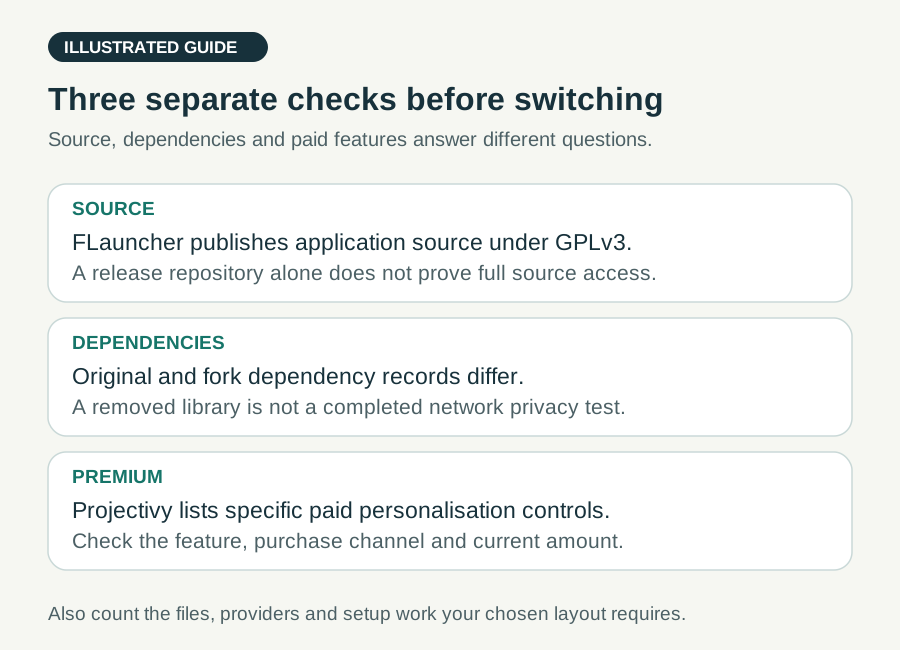
FLauncher provides readable application source under GPLv3. The fork also publishes its source and licence. If inspecting or modifying the launcher is a requirement, this matters independently of how many appearance controls it offers.
A public download repository is different from full application source. Do not treat Projectivy's public release and issue repository as equivalent proof that its entire app is open source. Our open-source directory keeps source and licence discovery separate from this two-product decision.
Dependencies deserve the same precision. The original version's dependency file includes Firebase packages. The fork's changelog records removal of analytics and crash-reporting services. Neither observation, by itself, measures what a running installation sends over the network. Source availability is useful evidence, not a completed privacy audit.
For Projectivy Launcher vs FLauncher costs, price the layout you actually want. Projectivy's official FAQ describes a free core and a one-time Premium purchase covering custom wallpapers, card images or icon packs, fonts and parental controls. Check the current purchase channel and amount; old forum prices are not today's quote.
A background file may also require a suitable picker, while a provider or icon pack introduces another component to keep track of. Count that setup work alongside any payment. Our Projectivy Premium guide explains its purchasing routes. A CleanYourTV purchase does not include Projectivy Premium.
When the osrosal fork changes the decision
The fork's version-pinned changelog describes configurable date text, a network-status indicator, hidden category titles and an automatically hiding app bar. It also offers different Back-button behaviours inside the launcher, including a fullscreen clock or screensaver.
These changes can matter when you want to keep the basic app arrangement but adjust a small part of the screen. Someone who dislikes category headings has a more specific reason to investigate the fork than someone merely looking for a newer date on a download.
The same changelog records removal of Unsplash integration. A change can remove a dependency or option as well as add features. Check which background source you rely on before switching builds.
For Projectivy Launcher vs FLauncher, the fork is a distinct candidate, not a blanket upgrade recommendation. Both checked FLauncher READMEs leave “Force stop app” unchecked. Do not select either on the assumption that this advertised roadmap item is already available.
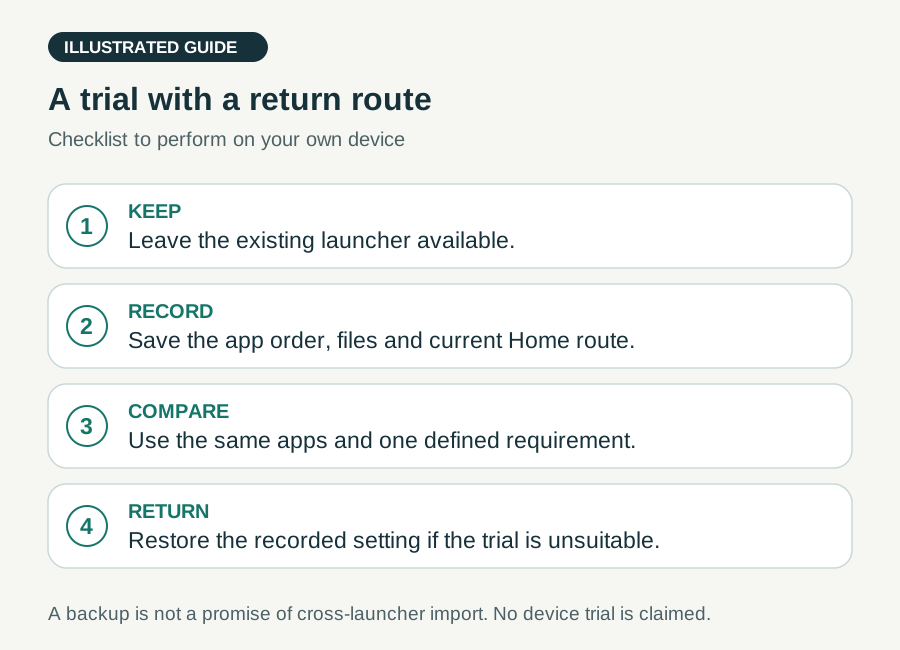
Make a small, reversible trial
Keep the existing launcher available. Record your categories, app order, background files and current Home route. Use a documented backup where available; otherwise keep a simple written layout record. Do not assume a backup from one launcher imports into another. Projectivy 4.72 adds browsing and restoration of its automatic backups, not a universal migration format.
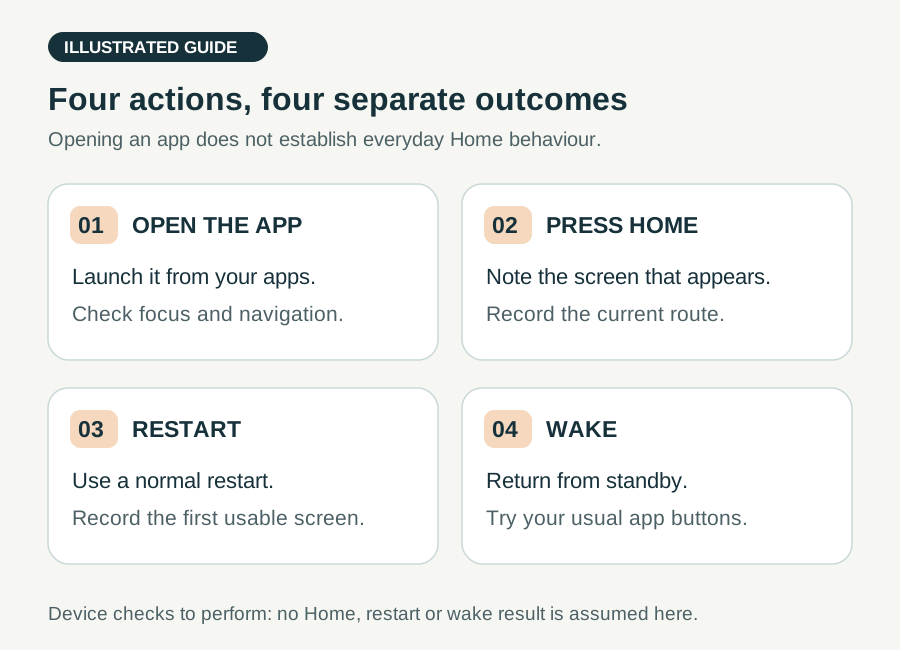
For a useful Projectivy Launcher vs FLauncher trial, arrange the same few apps and try these separate actions:
- Open the launcher from your apps and navigate with the remote.
- Press Home and note which screen appears.
- Restart normally and record the first usable screen.
- Wake from standby, then test your usual dedicated app buttons.
Opening an app and making it the everyday Home screen are different outcomes. The original FLauncher instructions limit their system-package commands to Chromecast with Google TV testing. This comparison does not require those commands. Check the Projectivy Home guide for that product's separate routes, and restore your recorded mapping or setting if a trial is unsuitable.
Your Projectivy Launcher vs FLauncher decision
Keep or try FLauncher original when categories, ordered shortcuts and a background meet your needs, and its published source matters to you. Review the older release date as part of your maintenance expectations.
Investigate the osrosal fork when a named change, such as hiding category headings or changing Back behaviour, solves your problem. Record its identity separately and check any removed dependency you used.
Try Projectivy when its documented channels, artwork controls or wallpaper-provider workflow answers an unmet need. Check the relevant entitlement before spending time recreating your layout.
The best Projectivy Launcher vs FLauncher outcome may be deciding to keep what already works. Set a stopping point: the household can open its usual apps, the required feature works on your device, and you know how to return to the previous arrangement. More configuration is worthwhile only when it serves that result.
Questions about Projectivy Launcher vs FLauncher
Is Projectivy Launcher vs FLauncher a speed contest?
No speed winner is established here. App count, firmware, artwork and background sources can affect a comparison. We have not measured startup time, RAM or stability on matching devices. Choose a documented capability first, then observe your own setup.
Is the FLauncher fork the same release as the original?
No. The checked original release is 0.18.0; the osrosal fork is v2025.07.001. Use each project's own source, release notes and issue context. A feature or dependency change in the fork does not automatically apply to the original app.
Which should I use on NVIDIA Shield?
Apply the same task-based Projectivy Launcher vs FLauncher choice, then check your Shield model and firmware. The original README's stated device testing concerns Chromecast with Google TV; it is not our Shield test. Community preferences cannot guarantee your Home, wake or remote-button behaviour.
INDEPENDENT READING
Set up the layout you chose
If Projectivy matches your requirements, use its category and Home setup guide. Keep your old arrangement recorded while you try the new one.
Set up Projectivy categories →Sources and review notes
FLauncher original 0.18.0: features and device-limited setup notes ↗FLauncher original: release 0.18.0 ↗FLauncher original: GPLv3 licence ↗FLauncher original: version-pinned dependency file ↗osrosal FLauncher: release v2025.07.001 ↗osrosal FLauncher: fixed-version README ↗osrosal FLauncher: differences from the original ↗Projectivy: developer features and Premium FAQ ↗Projectivy: categories, channels and original distribution ↗Projectivy 4.72: image browser and automatic-backup restore ↗Android: apps supply Watch Next programmes ↗Checked October 30, 2026 against Projectivy 4.72, original FLauncher 0.18.0 and osrosal fork v2025.07.001 source and release documentation. This is a document-based selection guide; no TV, emulator, network audit or head-to-head performance test was performed.