Step 1 / 9
Choose one download
Already purchased? Download your assistant
Windows uses an EXE; Mac uses one PKG for both chip types. No manual ZIP extraction. Both are previews; the ZIP assistant remains available.
 CleanYourTV.org
YOUR SELF-SERVICE KIT
Your launcher, setup tools, pictured instructions and restore guide, together in one place.
CleanYourTV replaces the home screen. It does not remove ads inside streaming apps, delete system apps or promise a faster TV.
One-time payment · No recurring charge
For Android TV / Google TV 8+. Setup needs a Windows PC or Mac and permission to enable TV network debugging.
Samsung Tizen, LG webOS, Fire TV, Roku and Apple TV are outside this kit’s supported scope. Home switching depends on the model and firmware.
Sign in, pay securely, then download your kit.
Prefer to check first? Free connection check
US$19, paid once. No subscription. Streaming subscriptions and remote installation services are not included.
See how setup works. →Unable to use the product successfully? Email us to review the issue and discuss a refund.
CLEANYOURTV / FAMILY
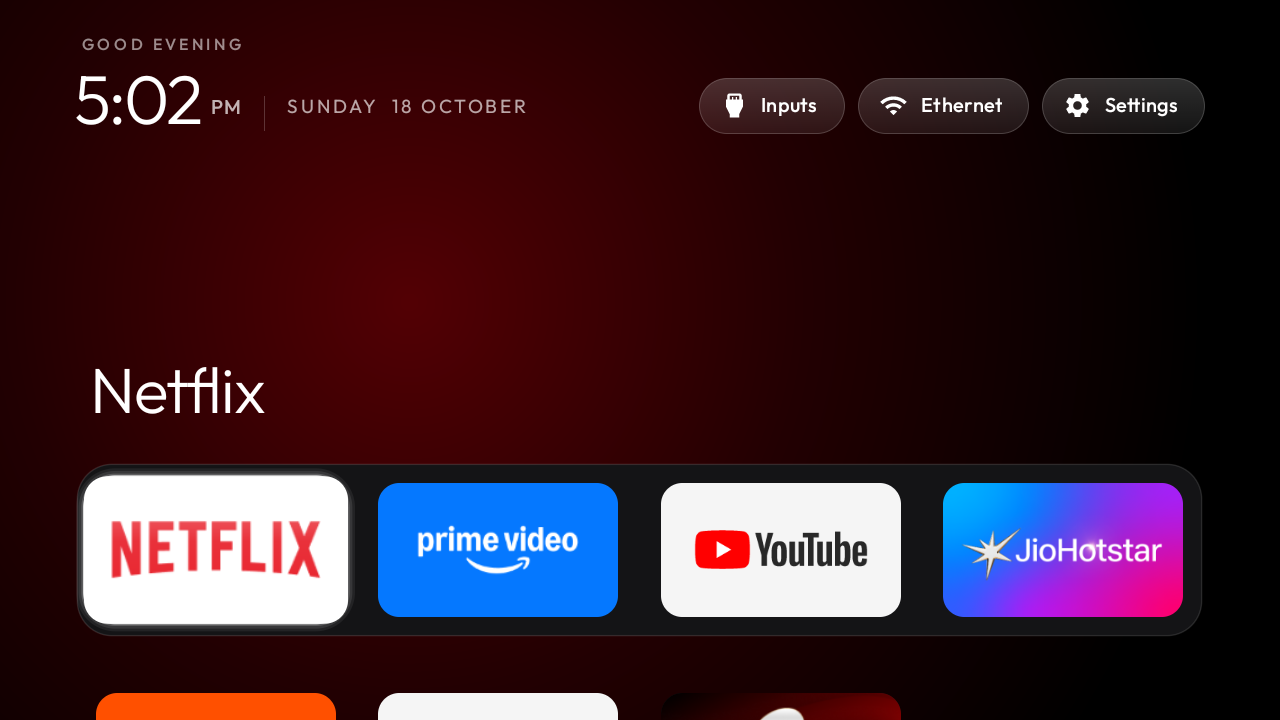
Try a simpler screen for parents, put favourite apps first, and keep only the shortcuts you want.
Interactive illustration using sample apps. This does not connect to a TV, save a real layout or install software. Family layouts are available in the desktop preview.
Sample apps · CleanYourTV
See how setup works after purchase: open the assistant, find your TV, check the connection and choose your family layout. Practice with the sample controls below.
This is a browser walkthrough. Sample controls do not download software, connect to a TV, create a backup, link an account, charge money or change a device.
The controls below illustrate the desktop preview. They are not live device results. Android TV emulator checks are complete. A build from this version’s source passed automated startup, reopen, quit and restart checks in native Windows CI. Physical-TV validation remains pending.
Already purchased? Download your assistant
Windows uses an EXE; Mac uses one PKG for both chip types. No manual ZIP extraction. Both are previews; the ZIP assistant remains available.