Open source TV tools.
A quieter screen starts here.
Find open source TV tools for the part of your television that bothers you: the home screen, YouTube playback, sponsored segments or network tracking. Choose your system and purpose, compare what each project actually changes, then continue to its official instructions.
16 projects6 different approachesSources checked
A cleaner home screen does not remove ads inside streaming apps. Platform support below is based on project documentation; we have not physically tested these third-party tools on your TV.
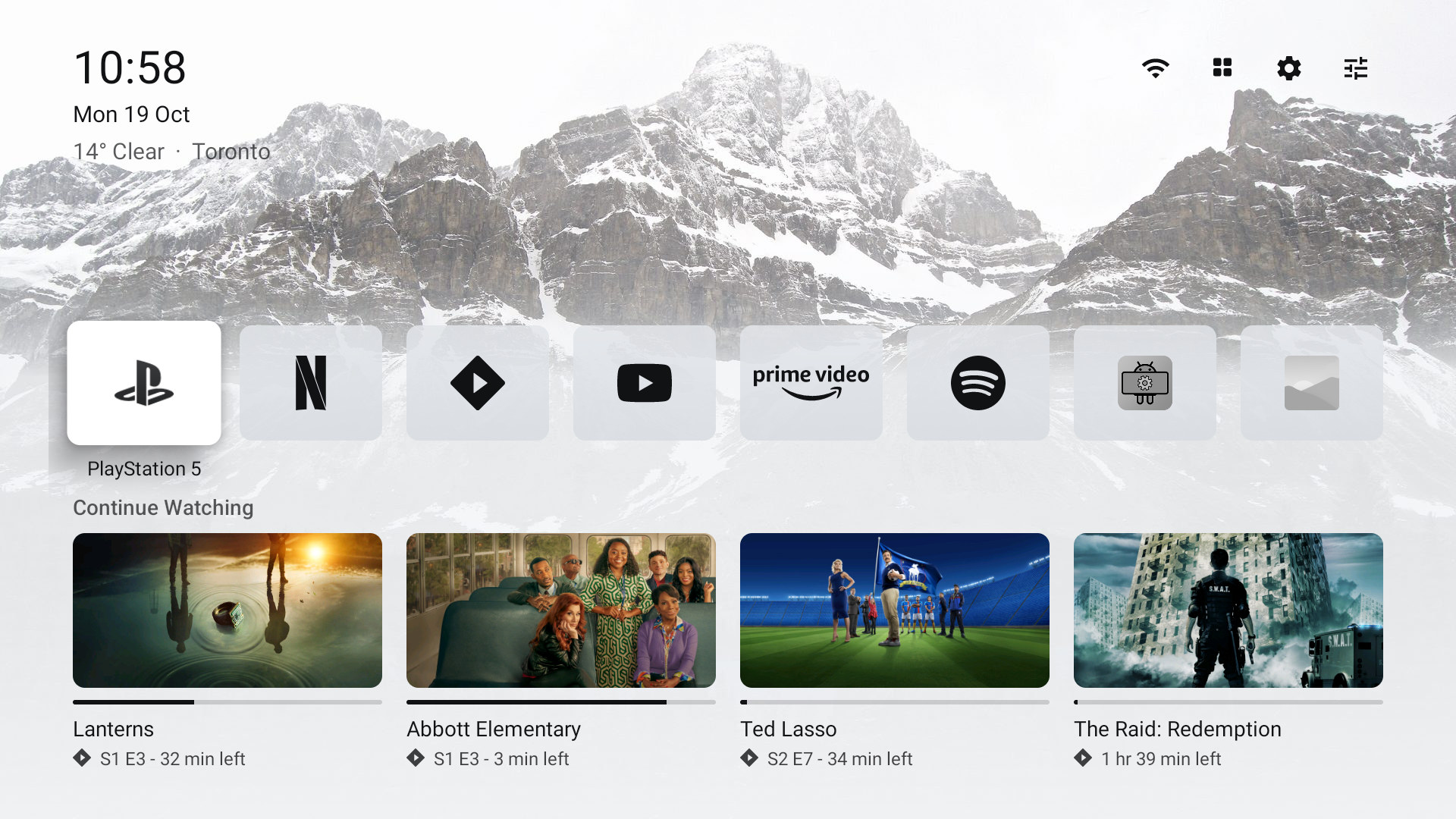
A minimal home screen with an app row, Continue Watching and HDMI input tiles. Plume is one of the newer open source TV tools for people who want a small launcher with familiar remote navigation. Its README specifies Android 8 or newer.
Keep in mind
It changes the home screen, not advertisements inside Netflix, YouTube or other apps. Home-button behavior depends on the television firmware.
Before you start: Sideload the official APK, open it first, then follow the project’s Home-button instructions.
Android TV / Google TV · Samsung · Tizen · LG · webOS
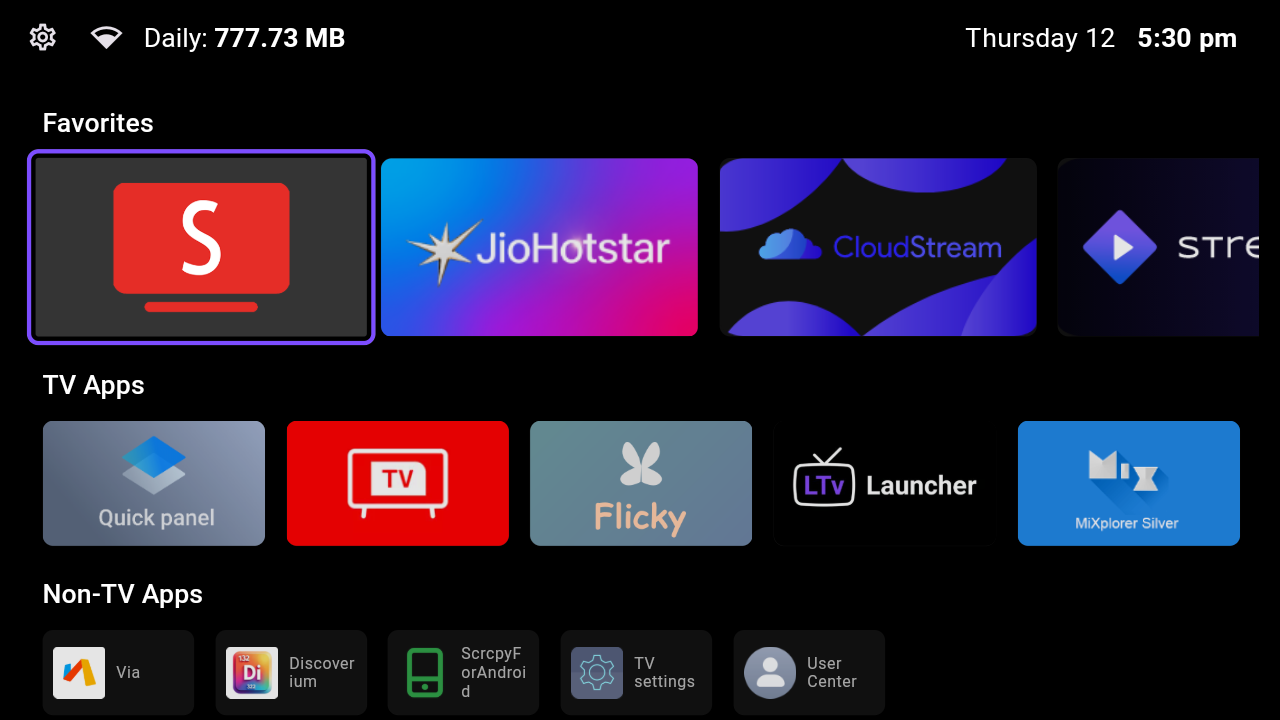
A configurable app shelf with weather and optional movie suggestions. Android builds can switch the default home and disable selected packages. The repository also provides separate LG webOS and Samsung Tizen apps, making this an unusual cross-platform entry among open source TV tools.
Keep in mind
The LG and Samsung versions open as apps; they do not replace the system Home screen. Movie suggestions require your own TMDB configuration.
Before you start: Read the instructions for your exact operating system; Android requires version 9 or newer and a computer.
An Android 9+ launcher that puts chosen apps into editable rows, with Chinese and English interfaces. It explicitly considers Chinese-market televisions without Google services. Among open source TV tools, this is a useful candidate when the presence of Google Play services matters to your choice.
Keep in mind
The author reports physical testing on a Chinese-market Sony A95L only. Other manufacturers and Home-button takeover have separate, limited validation.
Before you start: Check the model-specific compatibility notes before downloading; installing an APK does not prove default-home switching works.
Android TV / Google TV · Fire TV · Android Fire OS
An offline Android TV launcher focused on an app grid, a clock and appearance settings. It supports Android TV 5.1 or newer, so it is worth comparing when newer launchers exclude an older set. No account is required to use its home screen.
Keep in mind
Fire TV support concerns Android-based Fire OS. Newer Vega OS devices cannot run its Android APK. Replacing Home needs separate setup.
Before you start: Try the official release before changing the default launcher, and keep the original launcher available for recovery.
Android TV / Google TV · Fire TV · Android Fire OS
A FLauncher-derived launcher with categories, Continue Watching, status widgets and an OLED-oriented screensaver. It offers more home-screen controls than a single app row. The project documents Android TV, Google TV and Android-based Fire TV installation.
Keep in mind
Widgets and recommendations depend on their data sources and cooperating apps. Changing launchers cannot remove advertising inside those apps.
Before you start: Select the correct APK architecture or the universal build, then follow the device-specific default-home guide.
A clearly identified community fork of the original GitLab FLauncher. It provides categories, row or grid layouts and access to sideloaded apps. Keeping the fork’s name visible helps you compare releases without mistaking every FLauncher download for the same maintained package.
Keep in mind
The latest published release found was July 2025. The repository is not archived, but that is not evidence of frequent maintenance.
Before you start: Read this fork’s changelog and restore instructions; its example ADB commands are not universal instructions for every TV.
The original open project combines a lightweight launcher with ADB tools and device-specific debloat lists. It suits users willing to inspect the source and follow a technical setup. This directory links directly to the upstream repository, independently of our optional paid setup kit.
Keep in mind
The upstream project and CleanYourTV.org’s packaged service are different offerings. Device reports in the repository are not tests performed by this website.
Before you start: Review the instructions and the exact package list for your model; save the restore steps before disabling anything.
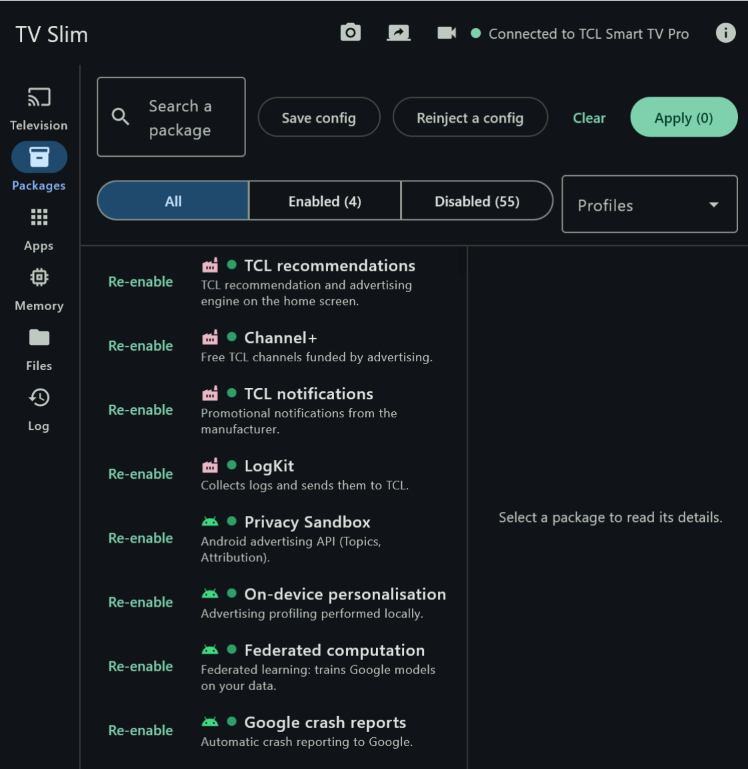
A desktop or phone interface for inspecting and disabling Android TV packages over network ADB. Package descriptions and an undo log make changes easier to review. It belongs with open source TV tools for device maintenance, rather than a replacement video player.
Keep in mind
Disabling a package may also remove a feature you use. The project’s known package list and vendor coverage do not establish compatibility with every firmware.
Before you start: Use a Windows computer or the Android phone app, enable network debugging and read each proposed change before applying it.
Android TV / Google TV · Fire TV · Android Fire OS
A YouTube client designed for Android television remotes, with ad-free playback and SponsorBlock integration. It is a distinct app, not a modification of every player on the TV. It does not provide the paid live television service called YouTube TV.
Keep in mind
The official README discloses a compromised development environment affecting some builds. Read that announcement and use the current official release; this listing is not a security certification.
Before you start: Review the maintainer’s security and migration guidance before installing or updating; keep device security protections enabled.
A Samsung Tizen project that adds ad blocking, SponsorBlock and playback controls to the supported viewing experience. The current repository documents both a TizenBrew module and a standalone installation route. Its similarly named Cobalt companion targets different devices.
Keep in mind
A Samsung logo alone is not enough: firmware, model year and signing requirements affect installation. This does not remove advertisements from every Samsung application.
Before you start: Use the current Samsung installation guide and check its model-year requirements before preparing developer mode.
Android TV / Google TV · Fire TV · Android Fire OS
The Cobalt-based companion brings the TizenTube approach to Android television devices, with ad blocking, SponsorBlock and playback speed controls. Compare it with SmartTube if you prefer a different viewing interface. The maintainer recommends a Google TV certified device for a better experience.
Keep in mind
Despite its name, this is the Android-oriented entry; Samsung users should read the separate TizenTube card. Playback depends on device capabilities and upstream service changes.
Before you start: Download the build for your platform from official releases and confirm its requirements before sideloading.
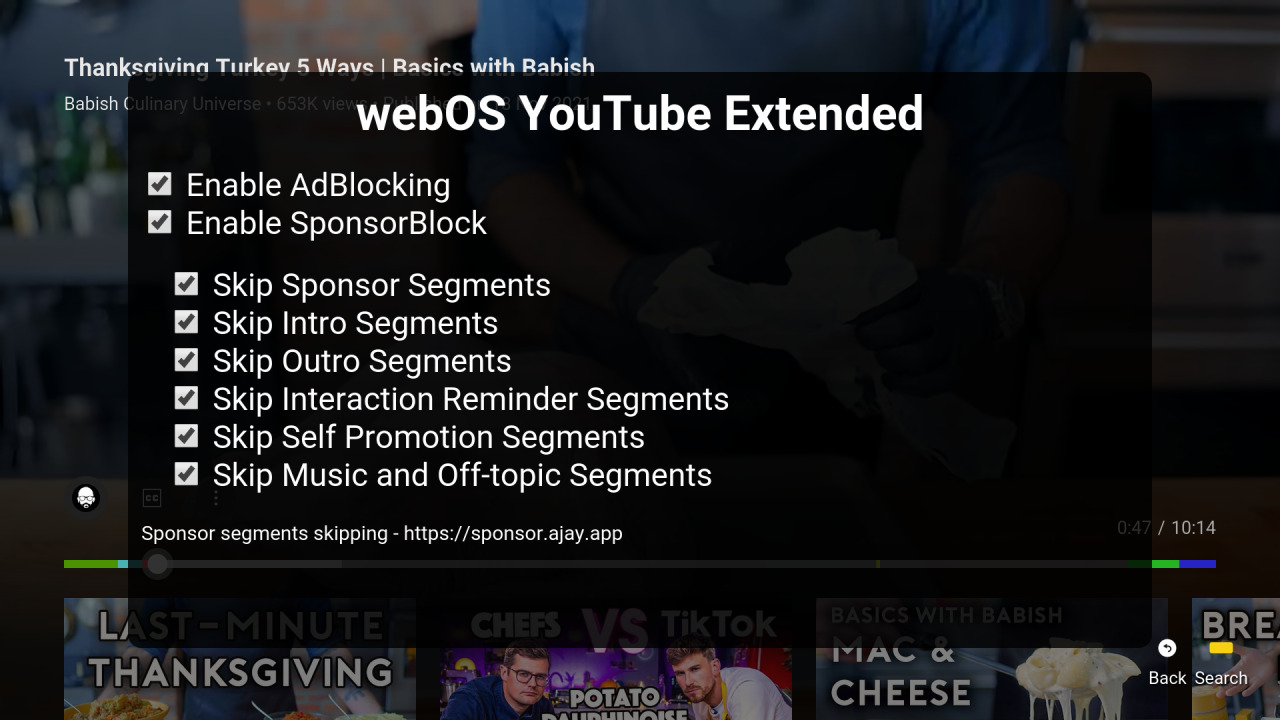
The webOS Brew YouTube project adds ad blocking, SponsorBlock and viewing controls on LG webOS. Installation options include a developer-mode device manager or a compatible Homebrew setup. This is one of the open source TV tools that uses an IPK package instead of an Android APK.
Keep in mind
The official instructions require removing the stock YouTube app first. Developer Mode and rooted Homebrew are different installation paths with different requirements.
Before you start: Read the current webOS instructions, choose your existing setup path and keep a way to reinstall the official app.
Android TV / Google TV · Fire TV · Android Fire OS · Samsung · Tizen · LG · webOS · Roku · Apple TV · tvOS
A self-hosted companion that connects to the TV’s YouTube app using its pairing code. It skips community-marked sponsor segments and can mute advertisements, then press Skip Ad when the button becomes available. The project lists several TV platforms, including Roku and Apple TV.
Keep in mind
It cannot make every unskippable ad disappear immediately. The README warns that YouTube pairing-code changes may require pairing again; an external host must keep running.
Before you start: Run it on a computer, NAS or supported container host, then pair the actual YouTube TV app.
Android TV / Google TV · Fire TV · Android Fire OS · Samsung · Tizen · LG · webOS · Roku · Apple TV · tvOS
A self-hosted DNS filter for devices using your home network resolver. It can block separate advertising and tracking domains without installing an app on each television. Query logs and per-device rules help investigate which network requests a TV makes.
Keep in mind
DNS cannot separate video from advertising served on the same domain. The official documentation specifically lists YouTube and Twitch ads among these limitations.
Before you start: Install on a suitable always-on host, configure the TV or router to use it, and keep a DNS rollback path.
Android TV / Google TV · Fire TV · Android Fire OS · Samsung · Tizen · LG · webOS · Roku · Apple TV · tvOS
A network DNS sinkhole with a web dashboard, blocklists and request visibility. It is useful when several devices should share domain-level filtering. Unlike launchers, network-based open source TV tools operate outside the television and can cover different brands through the same resolver.
Keep in mind
Coverage depends on the television actually using your DNS server. It does not inspect video frames or reliably remove ads that share a content domain.
Before you start: Prepare a supported Linux or container host and configure DNS deliberately; test your streaming apps before extending rules.
An experimental HDMI hardware project that detects advertising locally and covers the picture while muting audio. It demonstrates a different direction for open source TV tools: processing the output of an external streaming device instead of changing the TV software.
Keep in mind
It needs specific extra hardware and technical assembly. It affects only video passing through its HDMI input, not built-in TV apps; detection can make mistakes.
Before you start: Read the hardware bill of materials and current limitations first. Software, documentation and hardware designs have separate licenses.
Start with a launcher if advertisements appear before you open an app. Open source TV tools in the home-screen group change that starting point. Check both the Android version and the manufacturer’s Home-button restrictions. First launch the new app normally; change the default only after you know how to return to the original.
Use a player designed for the actual operating system: an Android APK, Samsung Tizen installation or LG webOS IPK are different packages. Among open source TV tools, video clients can depend on changes made by the streaming service, so a recent release and clear update instructions matter. SponsorBlock handles marked segments inside a video; it is a separate mechanism.
Requests from several household devices
DNS filtering operates on domain names across devices that use that resolver. It can reduce some tracking and advertising requests, but cannot tell a video from an advertisement delivered on the same domain. Start with a small rule set, check streaming and sign-in, and restore the original DNS settings if a necessary service breaks.
A Roku, Apple TV or a separate streaming box
A companion such as iSponsorBlockTV can work with supported YouTube apps without replacing the launcher. An HDMI device is another approach, with extra hardware costs and limits. Read where each tool runs: on the television, on a separate server, or between an external streamer and the HDMI input. The location determines what it can affect.
See the interfaces before you choose

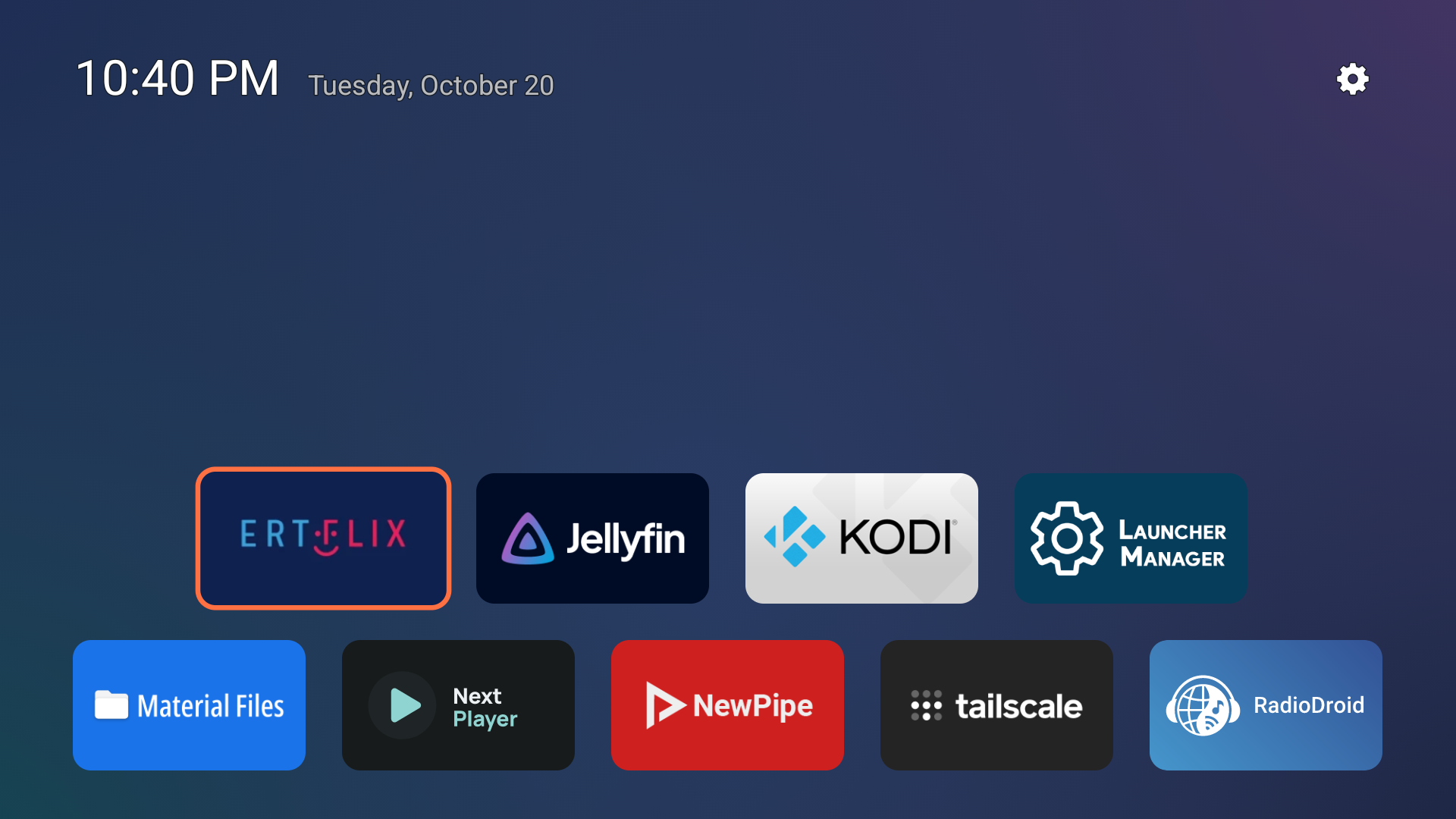
These are original screenshots published by the project authors. They show interface design, not a promise of compatibility or a test performed by CleanYourTV.org. Open any image to inspect the full version.
Free My TV
An app shelf below movie suggestions; the project also offers separate webOS and Tizen builds.
Can one project remove every advertisement on a TV?
No. Home-screen promotions, video ads, sponsor messages and network requests are different problems. Open source TV tools should be chosen for a specific layer. A launcher can give you a calmer home screen while the ads inside your streaming subscriptions remain unchanged.
Are these open source TV tools free to get?
The listed repositories publish source under the licenses linked on each card. Their code is available without buying our kit. You may still need a computer, an always-on server or extra hardware; optional services can have their own conditions. Our US$19 setup kit is a separate offering and is not required to use this directory.
Can Samsung and LG televisions install an Android APK?
Samsung Tizen and LG webOS use different application platforms. Select their system filters to find relevant projects. Free My TV’s LG and Samsung versions run as separate apps, while their system Home screens remain. Connecting an Android streaming device gives you an Android environment on that external device, not on the TV itself.
Why is Projectivy absent from this open-source list?
The linked Projectivy repository describes device configuration and issue tracking rather than publishing the full launcher source under an open-source license. A GitHub download page alone does not establish that an app is open source. This selection is about verifiable source availability, not a claim that excluded apps are poor products. Read the Projectivy repository description ↗
How should I assess new or less frequently updated projects?
Check the source, exact license, release history, unresolved issues and recovery instructions. Dates shown here are a research snapshot, not a live feed. A newer repository may have little device testing; an older release may still work. Neither a star count nor a recent commit proves safety, quality or compatibility.
Does inclusion mean that the download has been security audited?
No. We checked official sources and documentation, not every binary or device. SmartTube’s card points out its maintainer’s security announcement. Follow current official guidance and download from the maintainer’s own release links. Do not disable device protections merely because a directory calls a project open source.
Can the CleanYourTV AI guide install all these projects?
The current assistant supports our own setup workflow and diagnostic guidance. It is not a universal installer for these open source TV tools. Use each project’s official instructions for installation, accounts, permissions and updates; inclusion here does not imply integration or support from its maintainers.
How we select open source TV tools
We start from public searches and follow links to the maintainers’ repositories. Inclusion requires readable source, an identifiable license and a direct connection to the TV task. Forks are identified, permissions are not inferred from a free download, and software is not rehosted. We show limitations alongside benefits so you can make the comparison before installing.
Repository activity and release dates were checked on 21 October 2026. This first collection is curated, not exhaustive. Ask us to correct a broken link, changed license or inaccurate description; we will verify the primary source before updating it.
Explore open source TV tools freely, or use our own compatibility check and pictured installation guide if you want help with the CleanYourTV kit. These resources explain our product’s supported workflow; they do not certify every third-party project in the collection.
 CleanYourTV