 CleanYourTV
CLEANYOURTV · Launcher comparisons
Monet Launcher vs Projectivy: choose your TV Home
For Monet Launcher vs Projectivy, try Monet first if you want a coordinated Material You home with built-in widgets, panels and separate household layouts. Try Projectivy first if your priority is arranging custom categories, app channels and shortcuts. Both offer paid personalisation, and neither earns a speed or reliability win from its feature list.
This guide compares Monet 1.1.0 and Projectivy 4.73, checked against developer documentation and original release-package resources on November 2, 2026. It is a document-based selection guide. No matching-TV performance test or launcher-switching experiment was performed.
Monet Launcher vs Projectivy: where to start
| Your priority | Start with | Keep this condition |
|---|---|---|
| Widgets and quick panels within one launcher | Monet | Confirm the exact controls and any paid requirement |
| Categories, channels and adjustable app rows | Projectivy | Check the organisation of your own apps |
| Different household layouts | Monet Premium | Launcher profiles do not separate streaming accounts |
| Custom icons and personal wallpaper | Either Premium | Compare appearance and licensing before paying |
| Enforced child access or dependable Home | Check those requirements separately | Layout preference alone cannot establish either result |
The practical Monet Launcher vs Projectivy decision starts with your most frequent task. For three familiar apps, clear labels and predictable focus may matter more than extra panels. If neither arrangement matches your needs, the broader Android TV launcher overview covers other choices.
Confirm the products and original sources
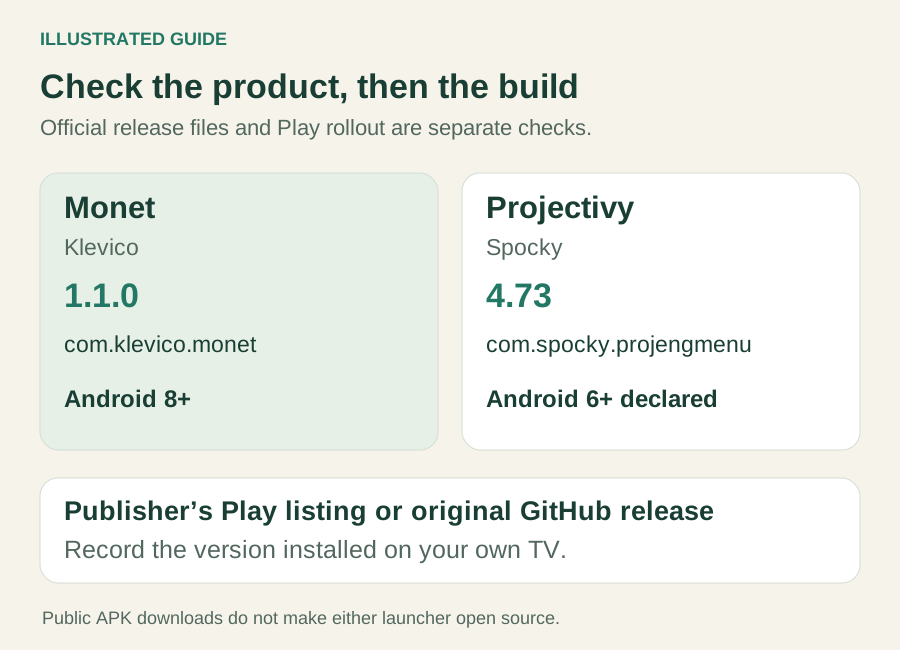
Monet is Klevico's TV launcher, package com.klevico.monet. It is distinct from phone icon packs and other Android projects using the name Monet. Its official repository distributes signed APKs and requires Android TV or Google TV running Android 8.0 or later; it explicitly does not include the application source code.
Projectivy is Spocky's launcher, package com.spocky.projengmenu. Its checked 4.73 APK declares Android 6.0 as its minimum and requires the TV leanback feature. That declaration does not prove every manufacturer's device supports every input, display or Home control.
For Monet Launcher vs Projectivy downloads, use their original Play listings or developer releases: Monet 1.1.0 and Projectivy 4.73. Record the version actually installed. A release being available on GitHub does not prove that every Play account has received that build.
Compare the layout, widgets and media
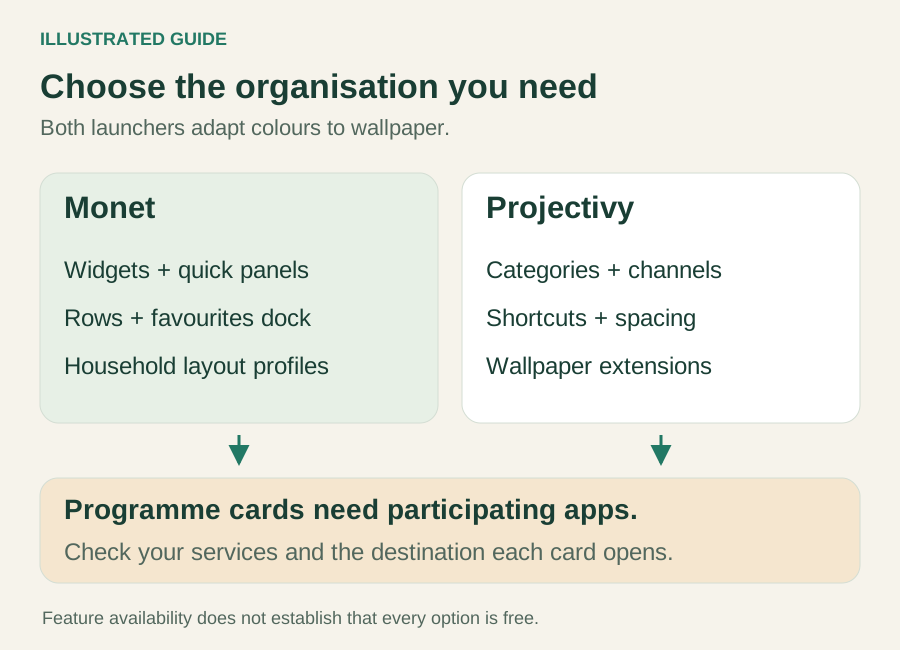
Monet's documented approach combines wallpaper-driven colours, app rows, folders, a favourites dock and home widgets such as weather, time and playback controls. Version 1.1.0 adds an All Apps panel over other apps, expands action-dock panels and allows a custom media row to select an app channel. These are reasons to consider its integrated tools, not evidence that every option is free.
Projectivy's developer README emphasises custom categories and channels with adjustable spacing, shortcuts and wallpaper-provider extensions. Its interface also adapts colours to wallpaper. The Monet Launcher vs Projectivy choice therefore should not rest on the mistaken claim that only Monet has dynamic colours. Choose the organisation you want to navigate each evening.
For programme cards, Android's Watch Next documentation explains that participating apps supply programme information. A launcher cannot guarantee that every streaming service contributes the current episode or opens the expected destination. Check two services you actually use, including opening a card, before judging a missing row as a launcher defect.
Some Monet Launcher vs Projectivy details remain unconfirmed here: the precise free entitlement for every Monet widget or panel, and the current remote sequence for a single-channel media row. Those gaps do not prevent choosing a starting layout; they do prevent promising a particular free workflow. Monet's new Formula 1 sports data also requires a separate BALLDONTLIE plan according to its release notes.
Profiles and locks mean different things
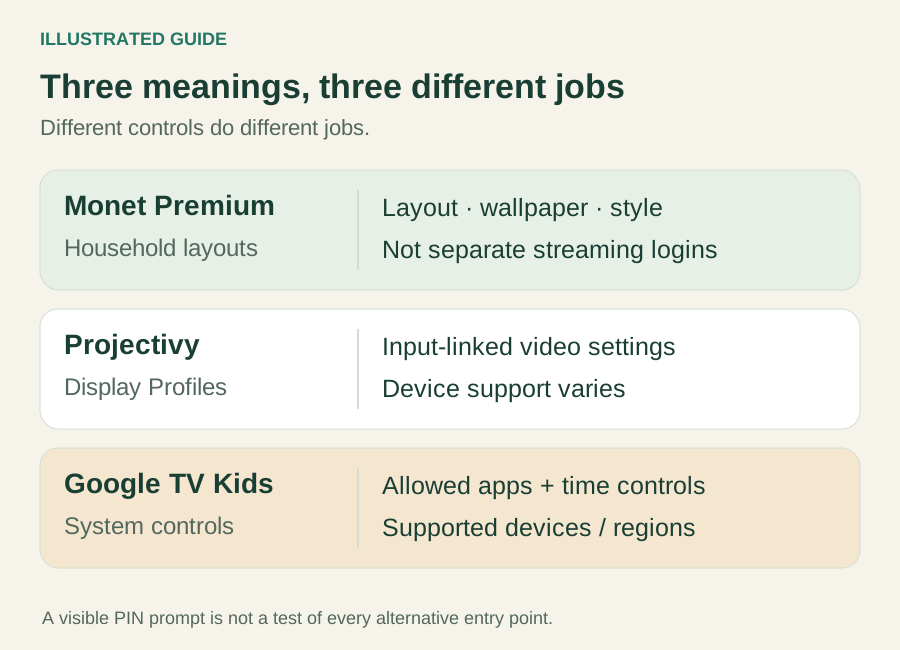
Profiles are an important Monet Launcher vs Projectivy distinction. Monet's Play description describes up to four profiles with their own layout, wallpaper and style. The current release package lists user profiles and app PIN controls among Premium features. This suits different household preferences, but does not establish separate Android users, Google accounts or streaming-service logins.
Projectivy's Display Profiles mean something else: video-display settings associated with input sources, with separate SDR/HDR choices where supported. Current resources explicitly warn that device support varies. They are not equivalent to multiple people choosing independent Home layouts.
If the real requirement is restricting a child's access, use the parental-control guide to distinguish launcher locks from system and app controls. Google TV Kids profiles provide their own allowed-app and time controls on supported devices and regions. Neither a launcher profile nor a visible PIN prompt proves that every alternate entry point is blocked.
Monet Launcher vs Projectivy Premium and price
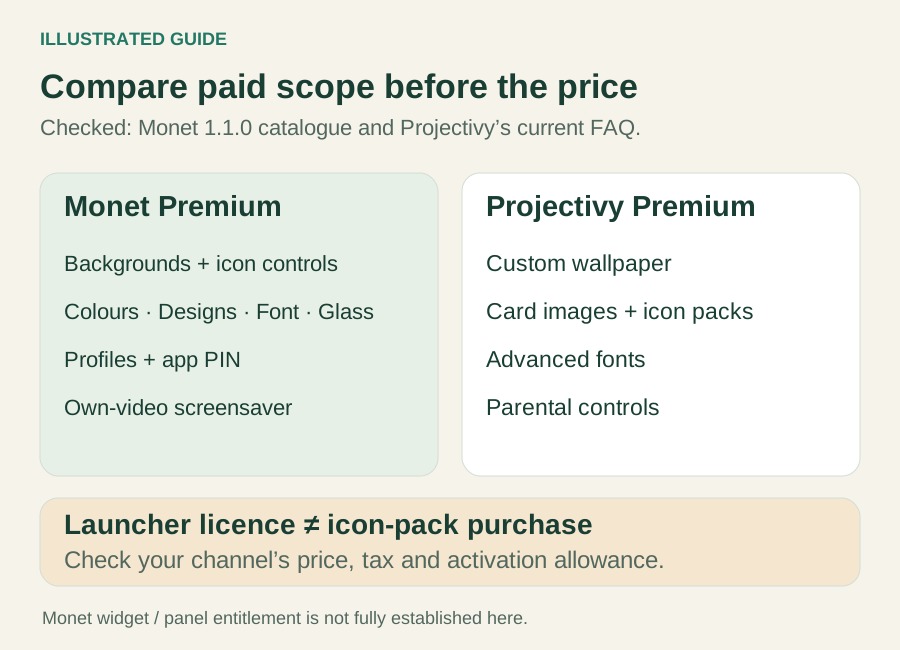
Both offer basic use without a Premium purchase. Compare the feature you need, rather than assuming their entire advertised feature lists are free.
| Feature group | Monet 1.1.0 | Projectivy 4.73 |
|---|---|---|
| Personal wallpaper | Custom pictures and videos listed in Premium | Custom wallpaper listed in Premium |
| Icon personalisation | Packs, shapes/styles, per-app appearance and app size listed | Custom card images and icon packs listed |
| Household controls | Layout profiles and app PIN listed | Parental controls listed; Display Profiles are a different feature |
| Other appearance | Focus/text colours and Designs listed; extended catalogue includes Font and Glass | Advanced font controls listed |
| Personal video screensaver | Listed in Premium | Do not equate wallpaper playback with a native screensaver |
Monet's entries above come from the current official release package's Premium feature catalogue, with its resource labels linked to the catalogue code. Projectivy's paid groups are documented in its official FAQ. A pack author's separate charge is additional to a launcher's licence; buying an icon pack does not unlock the launcher. The Projectivy icon-pack guide covers that configuration task after selection.
For Monet Launcher vs Projectivy pricing, distinguish the purchase channels. Monet 1.1.0 contains an external-activation reference quote of USD 4.99 once, through Polar, covering up to five TVs, with offline use described after activation. This is the checked build's wording, not a checkout we completed or a universal tax-inclusive Play price. Its Play price is supplied dynamically. Confirm the amount, tax and entitlement in your actual purchase screen.
Projectivy documents a one-time Play purchase for devices using the same purchasing Google account, and an external lifetime licence for up to five simultaneous installations. Clearing app data does not automatically release an external activation. Version 4.73 adds external-key activation to the Play build, so older GitHub-only instructions are outdated. See the Projectivy Premium guide for the purchase-route distinction. A CleanYourTV purchase does not include either launcher's Premium upgrade.
Home, permissions and privacy
Installing a launcher, selecting system Home, intercepting the Home button and opening an app after startup are separate outcomes. This matters in Monet Launcher vs Projectivy because opening either app successfully does not establish what the remote does after standby.
Monet describes an optional accessibility service for Home-key and launcher-window behaviour and says it can operate without that service. Projectivy also documents an optional navigation service. Use the supported controls available on your firmware and keep system Settings reachable. Do not disable the stock launcher merely to make a comparison look successful. The Projectivy Home guide separates its specific routes.
Privacy marketing also needs context. At this review, both Play Data Safety sections declared possible collection categories, while their descriptions made narrower claims about accessibility or tracking. Those declarations are developer-provided information, not an independent traffic audit. Monet Launcher vs Projectivy should not be presented as a proven zero-data comparison. Check the current Monet listing and Projectivy listing, including the services you enable.
Make the trial reversible
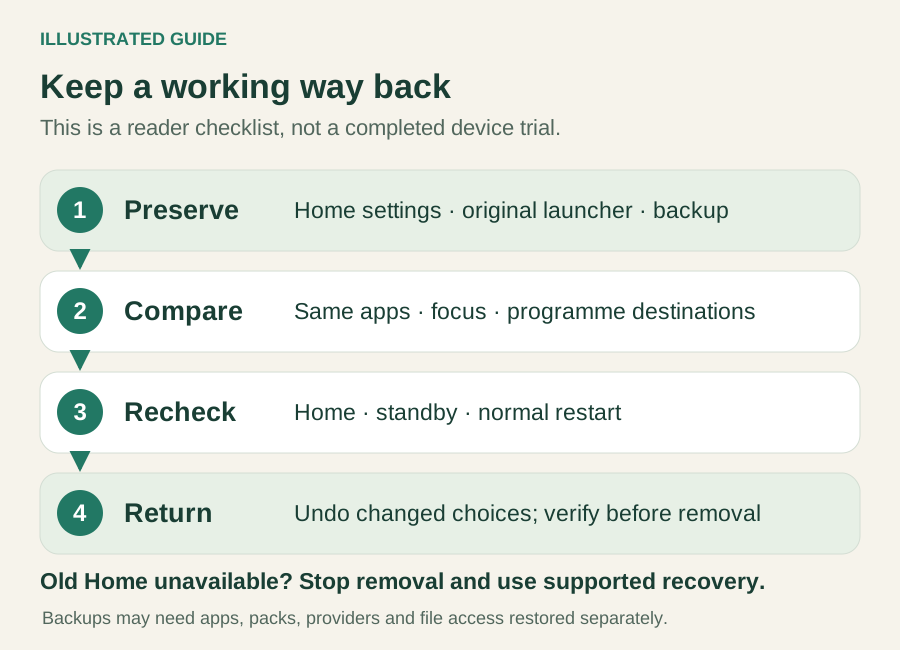
Before trying a new everyday Home, record the existing Home selection and any override or startup options. Keep the original launcher and Settings available. Save a current working backup where supported, and retain the file before changing the arrangement.
Use the same familiar apps and comparable backgrounds for a useful Monet Launcher vs Projectivy trial. Check directional focus, text readability, app launches and programme destinations. Separately check Home from inside an app, Back at Home, return from standby and a normal restart. Record failures with the device, version and exact action; a subjective preference is not a speed benchmark.
To return, undo the specific Home, override or startup choice you changed. Verify the previous Home route and restart behaviour before removing the trial launcher. If the old route is unavailable, stop removing or disabling apps and use the device maker's supported recovery route.
Backups are not whole-TV clones. Monet 1.1.0 says Aerial media is saved as a link. Projectivy's current restore warning says preferences and categories are replaced, and its developer explains cross-device file-access limits. Reinstall needed apps, packs or providers and reselect files when necessary; do not assume logins, permissions or system Home settings migrated.
Monet Launcher vs Projectivy questions
Which is faster on my TV?
No measured winner is established here. Firmware, background media, programme feeds and artwork change the conditions. Prefer the layout that completes your tasks reliably, then check it under your own normal usage.
Can I decide without buying Premium?
Yes. Start with basic navigation and the documented paid-feature list. A Premium preview is not proof that an appearance change can be saved without purchase. Confirm the exact feature and purchase route before paying.
Will switching fix missing programmes or inputs?
Not necessarily. Apps must supply programme data, and physical inputs belong to the device hosting them. An external streaming box does not automatically expose every HDMI port on the television. A missing item needs its own source and device check.
INDEPENDENT READING
Check the Home route after choosing a layout
If Projectivy fits your requirements, use its specific Home guide to separate installation, system selection, override and startup checks while preserving the previous route.
Check Projectivy Home behaviour →Sources and review notes
Monet: original publisher, features and APK-only repository ↗Monet 1.1.0: official release and original package ↗Monet: current Play description and Data Safety ↗Projectivy 4.73: current release and external-key update ↗Projectivy: official features and repository scope ↗Projectivy: Premium features and licence FAQ ↗Projectivy: current Play description and Data Safety ↗Android: participating apps supply Watch Next programmes ↗Google TV: Kids profile controls and limits ↗Projectivy: developer explanation of cross-device file access ↗Checked November 2, 2026 against current official Monet 1.1.0 and Projectivy 4.73 sources and original release-package resources. This is a document-based selection guide. No TV or emulator switching, performance benchmark, Premium purchase or activation was performed. Monet’s external reference price comes from the checked build; local checkout totals and individual unconfirmed free entitlements remain separate.