 CleanYourTV
CLEANYOURTV · Launcher comparisons
Projectivy vs AT4K: choose a TV launcher for your layout
For Projectivy vs AT4K, start with the way you want to organise Home. Try AT4K first if you want a top shelf of favourites, an app grid and folders. Try Projectivy first if you want to organise custom categories, app channels and shortcuts. Neither choice establishes a speed or memory winner on your TV.
This comparison checks Projectivy 4.72 and AT4K 1.2 against current developer sources on October 30, 2026. It is a document-based comparison, not a test on matching TVs. The aim is to help you choose what to try and what to verify before making it your everyday Home screen.
Projectivy vs AT4K: a practical starting choice
| Your main requirement | Start by trying | What still needs checking |
|---|---|---|
| Favourites above a simple grid, with folders | AT4K | Your preferred card layout and any paid appearance controls |
| Custom categories, channels and adjustable rows | Projectivy | The organisation and readability of your own apps |
| Continue Watching or app recommendations | Either, with your usual services | Whether those apps provide compatible programme data |
| A specific weather or clock display | Compare the exact feature | AT4K lists widgets; Projectivy has wallpaper-provider options |
| Reliable Home after every reboot | Neither on reputation alone | Home, wake and restart behaviour on your firmware |
The useful Projectivy vs AT4K choice is a starting point for your requirements. A household using three apps may care more about clear focus and predictable navigation than a long feature list. Someone organising streaming services, utilities and inputs has a different task. For a wider choice, compare our Android TV launcher overview.
Confirm the products and original downloads
AT4K is an Android TV launcher by Avadhesh, published on Google Play as Cute Little Apps, with package com.overdevs.at4k. Its Apple TV-inspired appearance does not turn an Android box into Apple hardware or add tvOS apps. Projectivy is developed by Spocky, with package com.spocky.projengmenu.
For the Projectivy vs AT4K trial, download each launcher through its publisher's own channels. AT4K's official download page links to its GitHub APK and states Android TV or Google TV running Android 8.0 or later. The AT4K Play listing and current GitHub release both identify version 1.2.
Projectivy is available from Google Play and Spocky's releases. The checked 4.72 APK declares Android 6.0 as its minimum and requires the TV leanback feature. A minimum OS declaration is not a promise that every device running that version works correctly.
Keep a note of the installed version and source. AT4K's repository explicitly says it does not contain the application code; having a public GitHub download does not make the launcher open source. Older discussion claiming there is no original APK outside Play is also no longer an accurate description of the current download options.
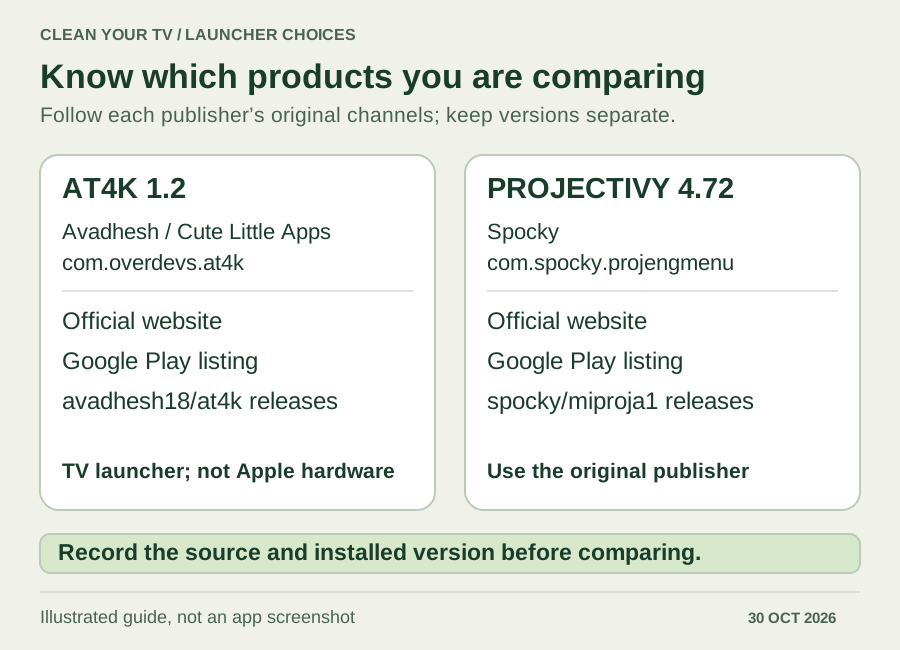
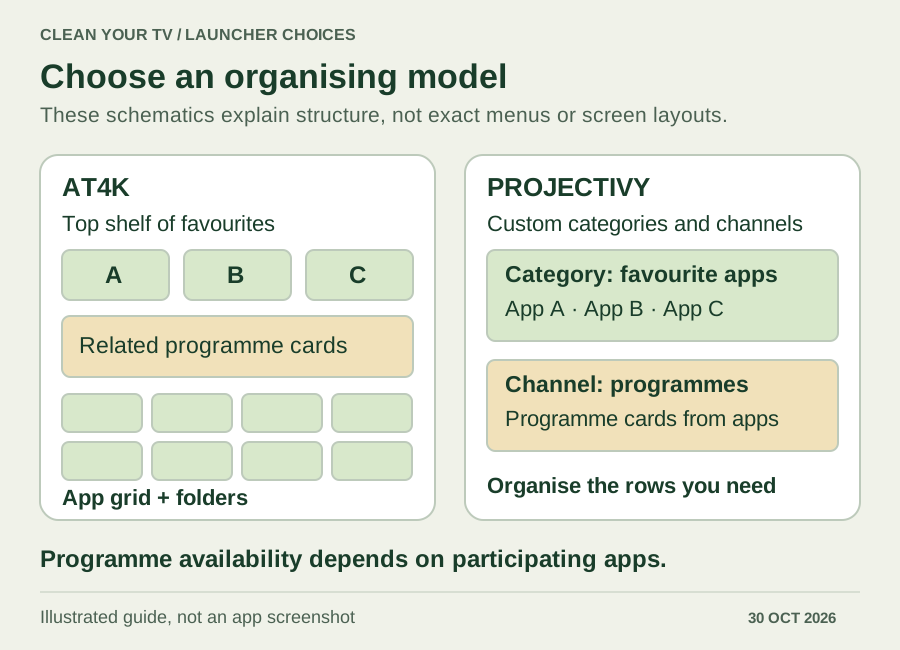
Compare Projectivy vs AT4K layouts and programme cards
AT4K's official site describes a top shelf, movable app grid and folders. Focusing a favourite app can reveal related programmes. This suits a layout where a small collection of favourites leads into the rest of your apps.
Projectivy's developer documentation describes categories, channels, Watch Next and shortcuts. That gives you a different organising model: arrange rows around the activities you use, rather than treating every installed app as part of one undifferentiated collection. See the Projectivy setup guide for its category workflow.
In Projectivy vs AT4K, programme availability is a separate question from layout. Android's Watch Next mechanism relies on participating apps to add and update items. AT4K also explicitly warns that some functionality depends on the device and installed apps. Neither launcher can guarantee that every service supplies your current episode.
Use two familiar services as a check. If one supplies cards and another does not, investigate that service's integration before choosing a launcher solely to fix the missing row. Apps can still be useful as ordinary launch shortcuts without providing recommendations.
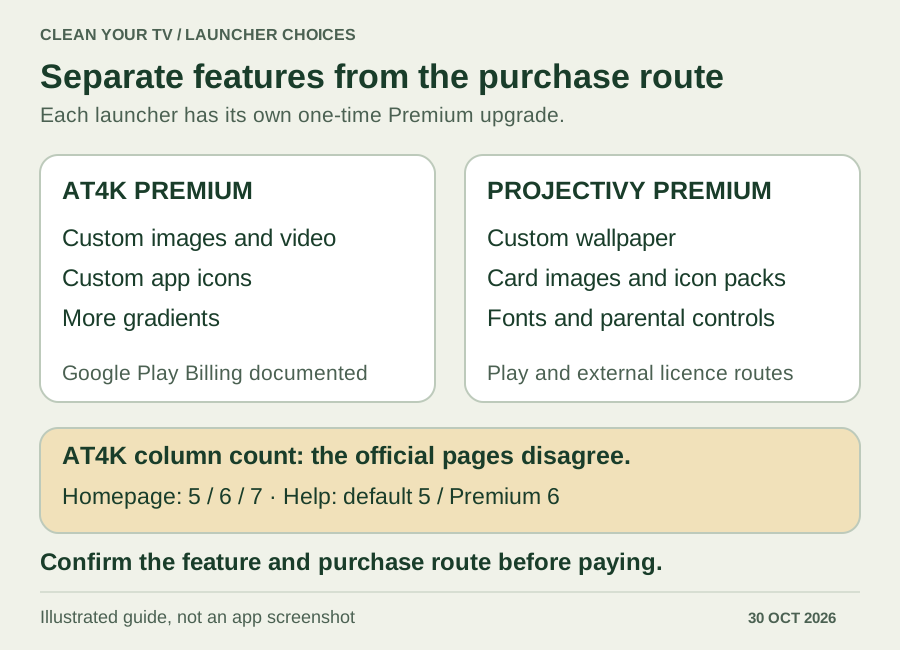
Projectivy vs AT4K Premium and personalisation
Both offer free functionality and a one-time Premium upgrade. Compare the feature you actually need before paying; the two licences are separate, and a CleanYourTV purchase includes neither of them.
| Feature | AT4K | Projectivy |
|---|---|---|
| Personal image or video wallpaper | Premium in official Help | Premium in the developer FAQ |
| Custom card images or icons | Custom app icons require Premium | Custom images and icon packs require Premium |
| Gradients or background options | Some gradients are free; others paid | Check the selected wallpaper source and entitlement |
| Font customisation and parental controls | No equivalent conclusion established here | Listed among Premium features |
| Backup scope | Version 1.2 says much of the settings | Settings backup, with automatic-backup browsing in 4.72 |
A Projectivy vs AT4K price comparison should use the amount shown by your current purchase screen, not an old review in another currency. AT4K documents Google Play Billing. Projectivy also provides an official external-licence route, explained in our Premium guide. Do not assume an AT4K APK installed without Play has the same purchasing or restoration route.
There is a specific documentation conflict worth keeping visible: AT4K's homepage advertises 5, 6 or 7 apps per row, while its Help page says 5 by default and 6 with Premium. We cannot establish the current seven-column entitlement from those statements. Check the installed version's controls before paying for a particular column count.
For widgets, avoid an outdated Projectivy vs AT4K checklist. AT4K's current Play description lists weather, clock, channel and other widgets. Projectivy's plugin directory includes wallpaper providers, including weather-related options. A weather display in a wallpaper and arbitrary Android widget hosting are different capabilities; this comparison does not establish universal widget support for either launcher.
Projectivy vs AT4K Home, startup and wake behaviour
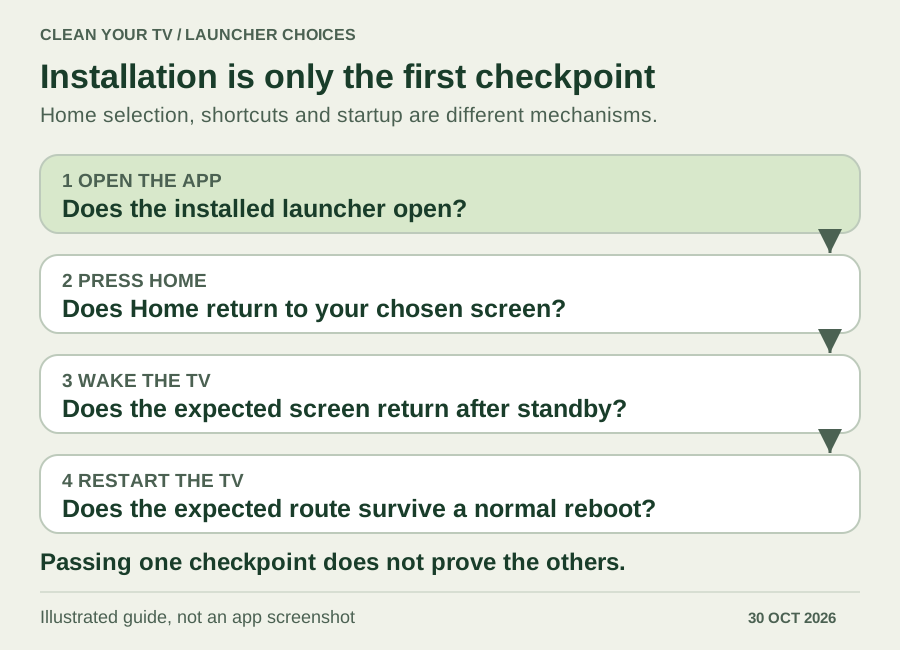
Installing a launcher, selecting it as Home and opening it on startup are separate outcomes. A launcher can open correctly from the app list while the remote's Home button still returns to the manufacturer's screen.
AT4K's README describes using the system Home-app chooser if it exists. It mentions other tools when that choice is unavailable, but that is not evidence that a particular tool works on every firmware. Its Play listing describes an optional accessibility service for remote shortcuts. That declaration alone does not prove a permanent Home override.
The Projectivy vs AT4K distinction also needs a version check. Projectivy offers its own override and startup options, yet issue 605 records a Google TV Streamer fallback problem with 4.72. The developer described a planned 4.73 correction; our checked stable release remains 4.72. A planned fix is not a released result, and that single-device report is not proof that all TVs fail.
Test Home from inside an app, Back while on Home, return from standby, and a normal restart separately. Keep access to system Settings and the stock launcher throughout. If a route fails, record the action and installed versions instead of immediately disabling the manufacturer's launcher. The Projectivy default-launcher guide covers its specific checks.
Make a reversible Projectivy vs AT4K trial
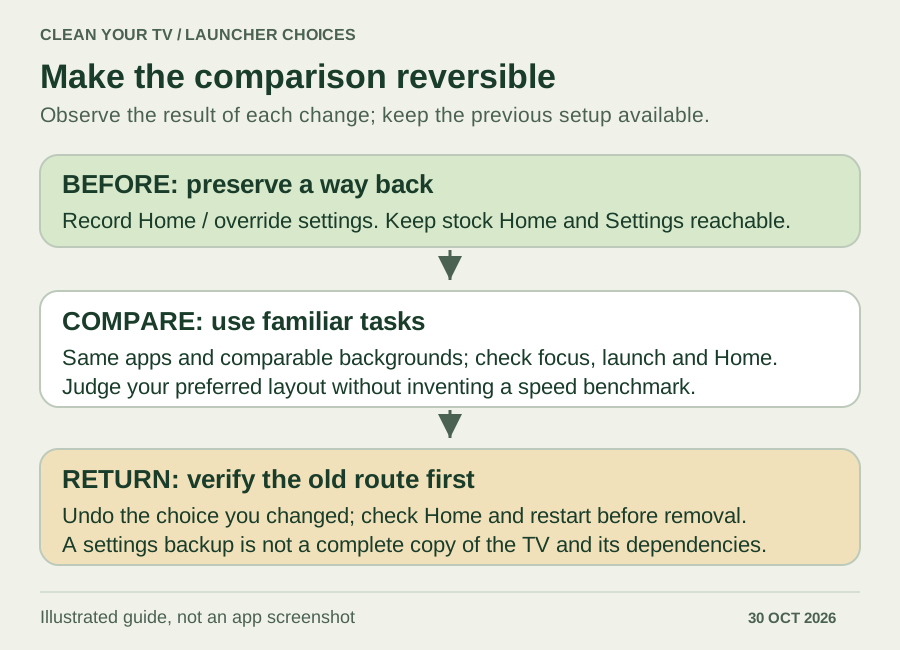
Before changing your everyday setup, record the current Home selection and any override or startup setting you enable. Save an available launcher backup and keep the original launcher reachable. Begin with a few familiar apps and a still background; this makes focus, launch and navigation problems easier to recognise.
For a useful Projectivy vs AT4K trial, use the same apps and comparable background settings. Check label readability from your seat, repeated directional navigation, opening each app, programme cards and the four Home checks above. You can decide which arrangement feels easier without claiming a measured performance advantage. A video background on one launcher and a still image on the other would also be a poor basis for a speed verdict.
If you return to your previous setup, restore its Home selection where the system offers that choice and undo the specific override or startup option you enabled. Verify Home and restart again before removing anything. Keep existing settings until the previous route works; clearing app data is not a necessary first step in a launcher comparison.
Backup scope also matters when comparing Projectivy vs AT4K. AT4K 1.2 promises backup of much of its settings, not a complete device image. Projectivy 4.72 adds browsing and restoring automatic backups. Neither statement promises that another TV already has your apps, icon packs, wallpaper providers or file permissions. Treat a restored layout as something to check, not proof that migration is finished.
Projectivy vs AT4K questions
Which is faster on an Onn or Shield?
This Projectivy vs AT4K comparison cannot name a measured winner. No matching-device benchmark was performed. Firmware, artwork, programmes and background media all affect the conditions. Use comparable settings on your device and separate your preference for an animation from a measured startup or memory result.
Does AT4K work on Fire TV?
The developer's README lists Fire TV, but model, firmware, Home handling and access to Premium are separate checks. The existence of an APK does not prove them all. Keep that distinction when reading older reports about missing Play services or when considering a new Fire TV model.
Can I choose without buying Premium first?
Start the Projectivy vs AT4K decision with the free layout and navigation options available on your TV. Purchase only after confirming that a particular paid feature is the one you need and its purchase route works for your setup. If your only requirement is a clear launcher for a few apps, additional appearance controls may not decide the choice.
INDEPENDENT READING
Check the Home route for your chosen launcher
If you choose Projectivy, use its dedicated guide to separate Home selection, override and startup checks. Keep the original launcher reachable while checking your device.
Check Projectivy Home behaviour →Sources and review notes
AT4K: original site and layout features ↗AT4K: official Help and Premium features ↗AT4K: current Play description, widgets and accessibility scope ↗AT4K 1.2: original release and backup scope ↗AT4K: installation and repository scope ↗Projectivy: official features and Premium FAQ ↗Projectivy 4.72: current release ↗Projectivy: reported 4.72 fallback problem on Google TV Streamer ↗Android: apps supply Watch Next programmes ↗Checked October 30, 2026 against current official Projectivy 4.72 and AT4K 1.2 documentation. This is a source-based selection guide; no TV, emulator or head-to-head performance test was performed.