 CleanYourTV
CLEANYOURTV · Launcher setup
Launcher Manager Android TV: Sources, Home Setup and Recovery
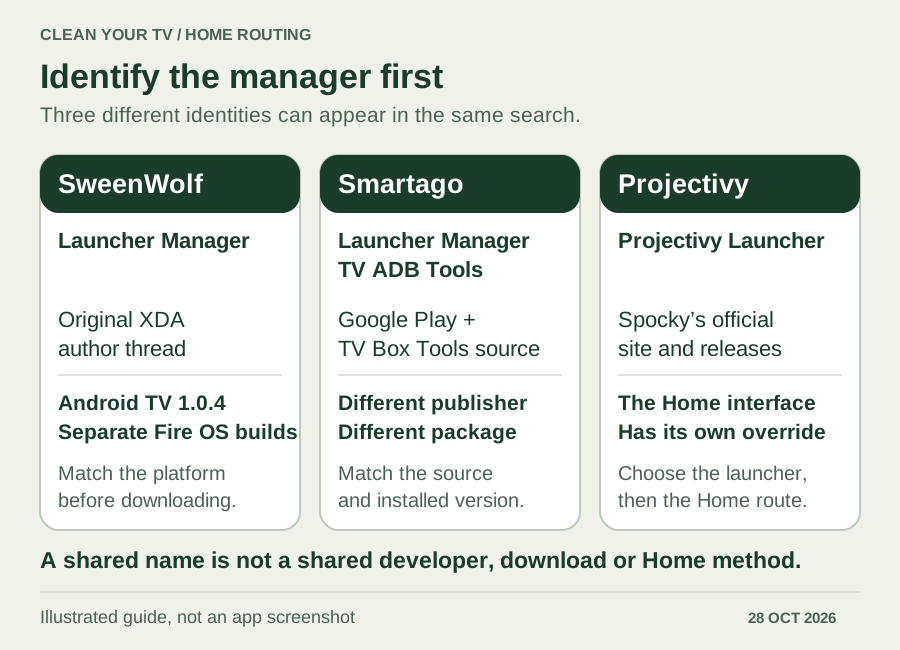
A Launcher Manager Android TV search can lead to different developers, different APKs and different ways of handling Home. Start by identifying the product. SweenWolf's Android TV manager and Smartago's Launcher Manager TV ADB Tools are separate projects; an Android TV download is not interchangeable with a Fire OS build.
The useful result is a repeatable route: Home reaches your chosen launcher, ordinary remote functions still work, and you can return to the original interface. This guide checks original documentation and public implementation, reviewed October 28, 2026. It does not claim a physical-TV compatibility test.
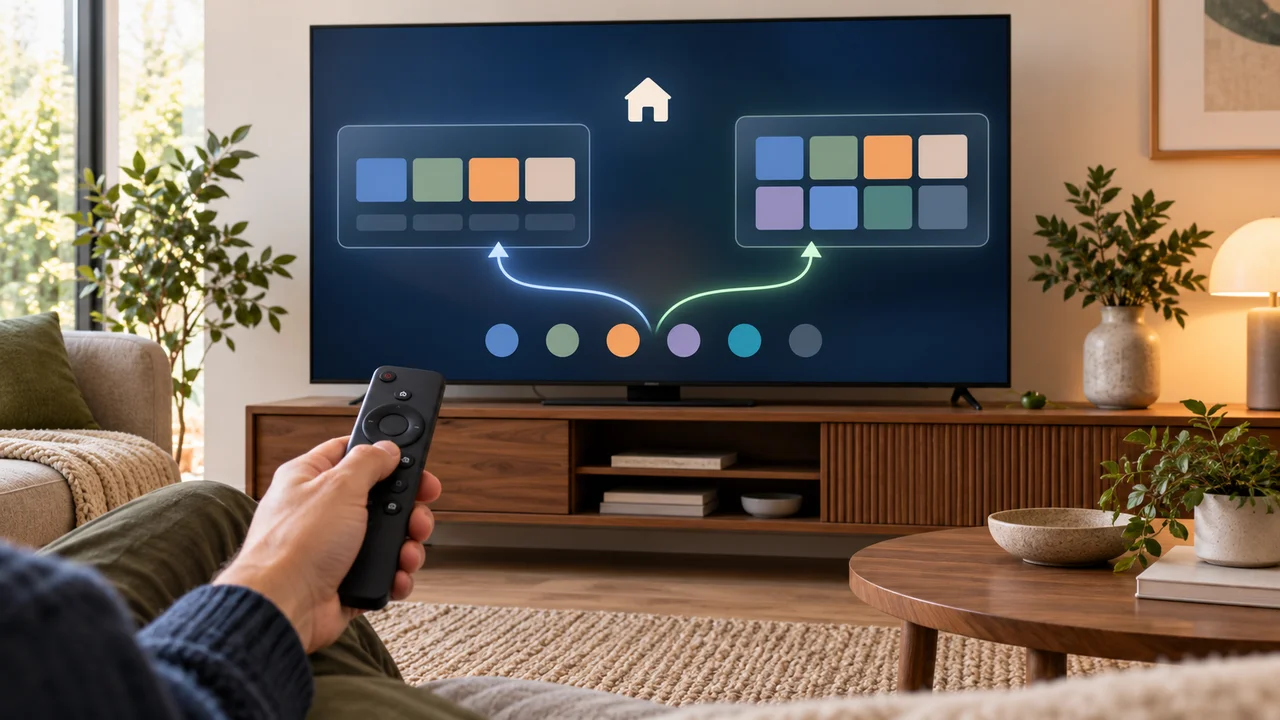
Which Launcher Manager Android TV product do you mean?
Check the publisher before following an installation tutorial or downloading an APK. A familiar name alone does not identify the software.
| Product | Original reference | What to verify |
|---|---|---|
| SweenWolf's Launcher Manager | The author's XDA thread | Android TV and Fire OS have separate variants. The thread lists Android TV manager version 1.0.4. Read the author's current platform notes. |
| Smartago's Launcher Manager TV ADB Tools | Smartago's Google Play listing | The publisher is Smartago; the package is com.tv.launcher.manager.adb.tvboxtools. Its developer site links a separate TV Box Tools repository. |
| Projectivy Launcher | Projectivy's official site | This is the Home interface itself. Its own Home selection and accessibility override are not either manager above. |
Treat a Launcher Manager Android TV APK filename as a clue, not proof of origin. Return to the author's page and follow the relevant distribution link. A mirror's upload date does not establish a new official release, and a similarly named GitHub repository does not establish the same author.
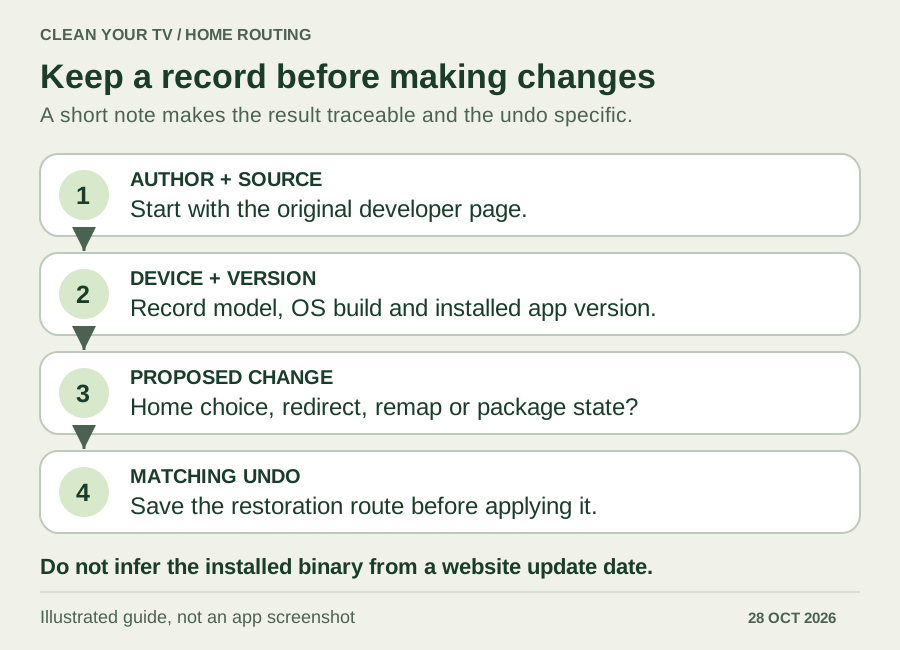
Record the platform, version and source first
For a Launcher Manager Android TV setup, record the streaming device's model, OS version, firmware build, manager version and download source. If you use an HDMI box, record the box's details rather than the television panel's software. Also record the launcher you want Home to open.
The original SweenWolf thread distinguishes Android TV 1.0.4 from its Fire OS variants and documents restrictions on older Fire OS routes. A search for “launcher manager 1.0 4 for android tv” should therefore lead back to that Android TV reference, not to whichever Fire TV file looks newest.
Smartago needs a separate check. Its Android build configuration identifies version 1.26.10.13 at the reviewed commit, although the repository README still names 1.26.10.01. Its Play listing was updated October 15, 2026. None of those records proves which binary is installed on your device. Its Play description advertises Fire TV support, but the current developer website excludes Fire TV. We cannot resolve that conflict into a supported Fire OS procedure.
Before changing anything, find the original Home interface and system Settings. Save a short note describing your current setup and the documented undo route for the exact tool. If you cannot identify either, finish that check before approving a system change.
Separate four ways of opening a launcher
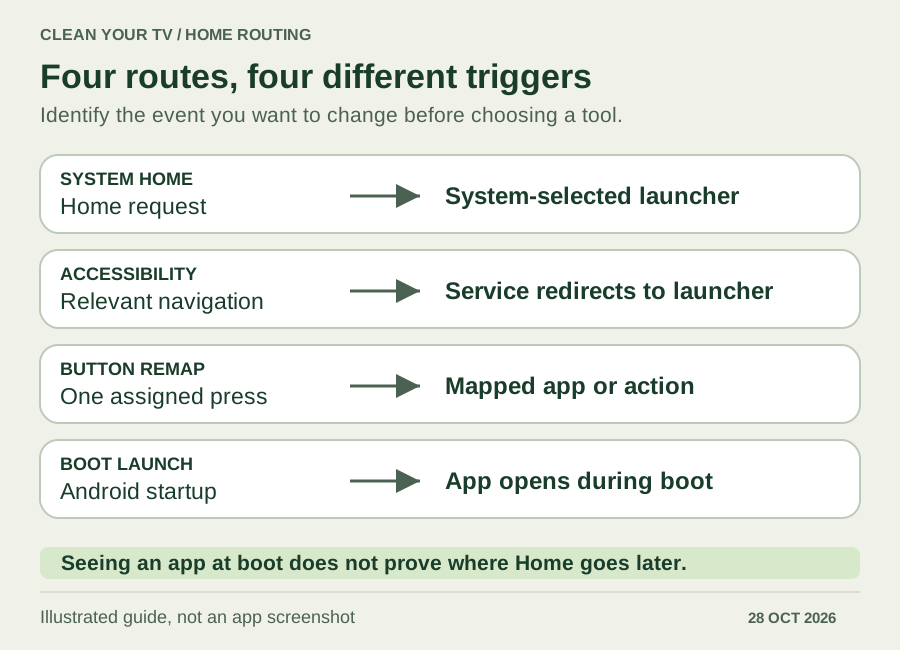
A Launcher Manager Android TV tutorial should explain which behaviour it changes. These routes can look similar on screen while doing different jobs.
| Route | What it does | What it does not establish |
|---|---|---|
| System Home selection | Assigns an eligible launcher as the system's Home destination, where the device permits it. | That every firmware exposes a working chooser. |
| Accessibility override | Uses an enabled service to redirect relevant navigation to a launcher. | That the system Home assignment changed or stock was disabled. |
| Button remapping | Associates a particular remote button or press pattern with an action. | That app exit, another remote or system Home follows the same route. |
| Launch on boot | Opens an app during startup. | That pressing Home later opens that app. |
Android documents a Home role, but applications must check whether a role is available. That API does not guarantee a particular TV menu. Likewise, an app appearing after startup is only evidence about startup.
Choose a Launcher Manager Android TV route you can reverse
First open the desired launcher normally and confirm that it can launch your everyday apps. If your device offers a usable system Home choice, inspect that route and test the result before adding another mechanism.
For Projectivy, the default-launcher guide covers its documented Home choice and accessibility override separately. Use the matching route for your firmware. If your goal is only to open an app after startup, use the launch-on-boot guide; that is a different task.
If a manager is needed, review its proposed change for your identified device and build. Keep unrelated accessibility services intact, especially services you rely on. Do not combine a manager, a Home-button mapper and an override in one untracked attempt: you would no longer know which change produced the result.
One important distinction is disabled versus uninstalled. Smartago's current Home workflow implementation includes both Home-assignment logic and branches that disable the stock launcher for Android user 0. Consequently, “the stock launcher stays installed” does not mean every workflow leaves it enabled. Read the actual proposed actions and preserve the matching restore instructions.
There is no universal stock-package list in this guide. Package names, available commands and recovery behaviour need verification against the particular device and tool version before a command-based procedure is appropriate.
Test the result with the remote
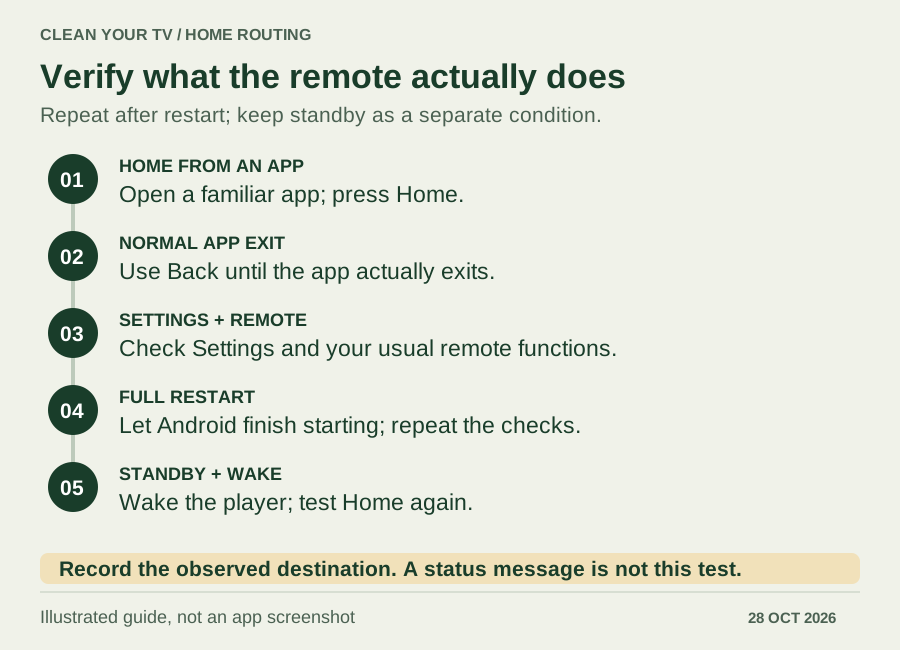
A success message is not a completed Launcher Manager Android TV check. The useful evidence is what happens during ordinary viewing, including after Android restarts.
- Open a normal app and press Home. Note the destination and any brief appearance of the original screen.
- Reopen the app and use its normal Back or exit behaviour. Record where you arrive when the app actually exits.
- Open system Settings and check the remote functions you use, including input selection where applicable.
- Restart the player normally, wait for startup to finish, then repeat the checks.
- Put the device into standby and wake it. Repeat Home again; standby and a full restart are different conditions.
Keep the result specific: “Home reaches Projectivy before restart; after restart it reaches stock.” Record the model, firmware, manager version and enabled override or mapper beside it. That report is more useful than repeatedly reinstalling the same APK.
When Launcher Manager is not working
Locate the first failed stage of your Launcher Manager Android TV setup. An APK that will not install is not the same problem as a manager that connects successfully but cannot change Home.
| Failure point | Check next |
|---|---|
| Cannot install | Confirm the original source, intended platform and version requirements. Do not replace it with an unrelated manager of the same name. |
| Cannot connect | Follow the selected tool's connection requirements and verify the correct player and any on-screen authorization. |
| Reports success, but Home stays stock | Observe the actual Home destination and check which route was requested. A connection alone proves no Home change. |
| Works until restart or wake | Record that exact boundary, then inspect current developer reports for the same device and route. |
| Different buttons give different results | Review the mapper and override you configured. Test one known route at a time. |
Projectivy issue 605 illustrates why dates matter: a developer discussed incomplete fallback handling after a 4.72 test and planned further work. The later user question did not establish a released fix. That Google TV Streamer report also does not diagnose every Shield, Onn or television.
Return to stock using the recorded method
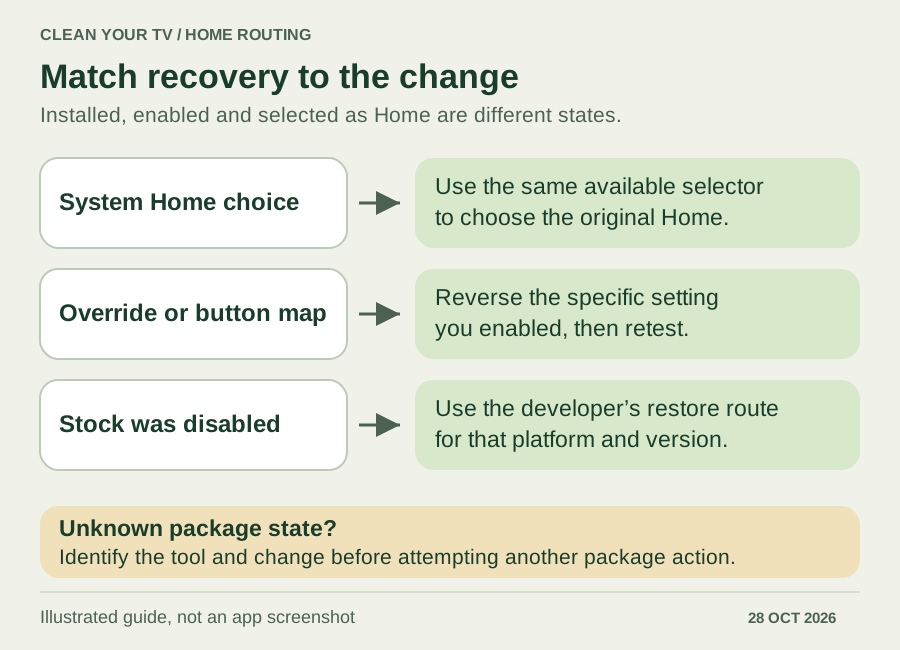
Recovery is part of a Launcher Manager Android TV setup, so match the undo action to the change you actually made.
If you selected a system Home while stock remained enabled, use the same available selector to choose the original launcher. If you enabled a launcher override or mapped a button, reverse that specific setting and retest. Avoid disabling an unrelated accessibility service to undo a setting it never controlled.
If your manager disabled stock, use its documented restore route for your recorded platform and version; simply uninstalling the replacement launcher is not a restoration procedure. The SweenWolf source includes a stock-restoration action, but its platform variants still matter. When the package state or source of the installed tool is unknown, obtain the matching developer guidance before attempting another package change.
Questions before downloading
Is Launcher Manager Android TV 1.0.4 the same as Smartago?
No. The Android TV 1.0.4 reference belongs to the SweenWolf thread. Smartago uses a different publisher identity, package and version scheme. Keep those identities attached to any instructions you save.
Does changing Home prove the original launcher stopped using memory?
No. A different visible screen, a changed Home assignment and a disabled package are different observations. This guide contains no process or memory measurements and makes no performance guarantee.
Do I need a manager just to choose a launcher?
Choose the interface you want first with the Android TV launcher comparison. A manager addresses routing only when your chosen launcher and device need that extra step. Your Launcher Manager Android TV checklist is complete when the source is identified, the Home route passes the checks, and its recovery path is recorded.
INDEPENDENT READING
Set up your chosen Home interface.
If you chose Projectivy, follow its documented system Home or accessibility route and keep the recovery settings available.
Check the Projectivy Home routes →Sources and review notes
SweenWolf: original Launcher Manager thread and platform variants ↗Smartago: official Google Play identity and description ↗Smartago: developer website and current platform information ↗Smartago: Android build identity at reviewed commit ↗Smartago: current Home workflow implementation ↗Android Developers: Home role and role availability ↗Projectivy: original developer website ↗Projectivy: issue 605 and remaining fallback report ↗Reviewed October 28, 2026 against the original SweenWolf thread, Smartago product pages and public 1.26.10.13 build configuration and Home workflow, Android Home-role documentation, and Projectivy developer reports. This is document and source verification, not a physical-TV compatibility test. Illustrations are explanatory, not app screenshots.