 CleanYourTV
CLEANYOURTV · Connectivity
Android TV static IP: set a fixed address and keep a way back
Check the values before changing the TV
Use values supplied for your network. This check runs in your browser; it does not save or upload inputs, scan devices, or suggest an unused address.
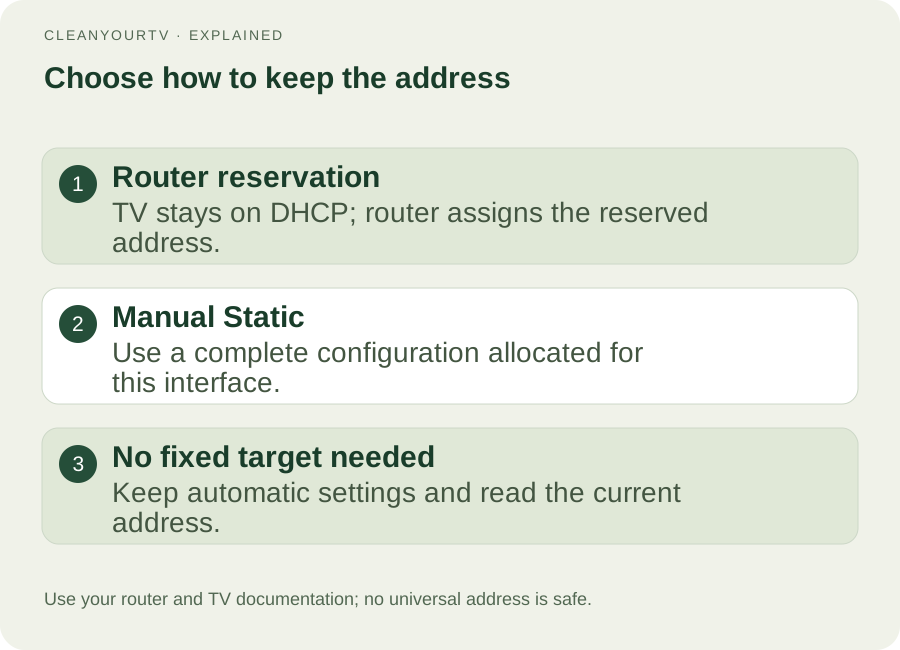
An Android TV static IP can keep a television or streaming box at a predictable local address. First decide whether to reserve an address in your router or enter network settings manually on the TV. For a home network you administer, a DHCP reservation often achieves the same practical goal while leaving the television on automatic configuration.
Before changing anything, record the working connection and obtain values assigned for your network. This guide covers that decision, model-specific menus, checks after saving, and a route back to DHCP. Menu names vary by model and firmware; these instructions are based on manufacturer documentation, without a physical TV test.

Choose a router reservation or manual configuration
You may want an Android TV static IP because a remote app, home-control integration, or computer helper remembers yesterday's address. That does not automatically require changing the TV's network mode. A router reservation tells the DHCP server to assign a particular local address to that device, while the device continues requesting its settings automatically.
Google's DHCP reservation instructions describe this arrangement for Google Nest and Google Wifi. TP-Link's Deco guidance recommends reservation for most Deco home users who need a fixed device address. Use your own router's documentation: its menus and permitted address range can differ.
Manual configuration puts the address, subnet information, gateway, and DNS settings on the TV itself. Choose this Android TV static IP route only when you control the network or its administrator has supplied the complete configuration. On a hotel, school, workplace, or shared network, ask the administrator before changing it.
A reservation applies to the device identity selected in the router. Confirm the active Wi-Fi or Ethernet interface rather than assuming an old client entry identifies the connection you are using now.
Record the working DHCP connection first
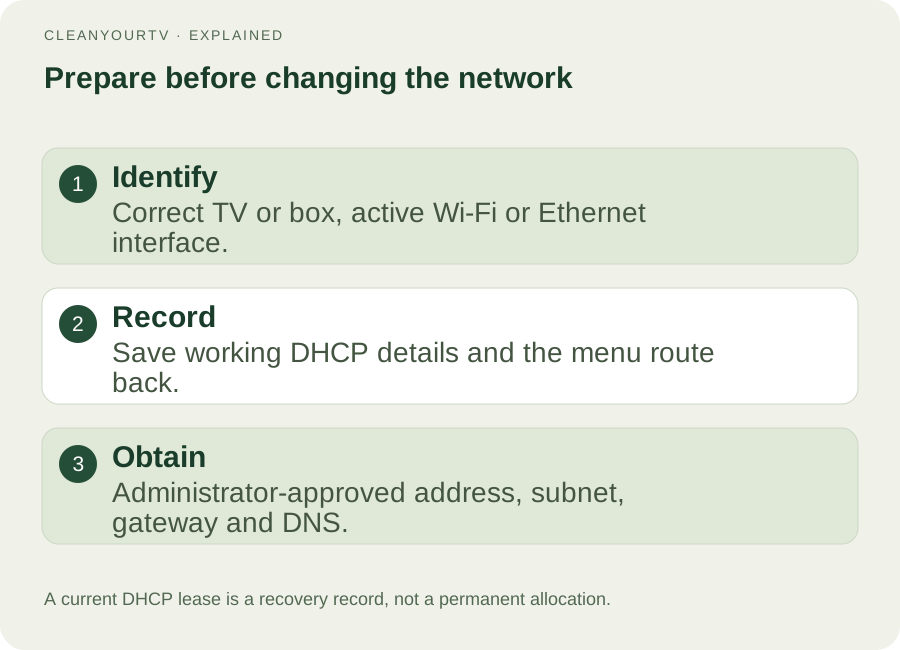
Start your Android TV static IP change while the existing connection still works. Use the IP address finding guide to open the active network details. If you are configuring a streaming box plugged into HDMI, inspect the box's settings, not the television panel's network page.
Keep a private note or photo of:
- The device model, active Wi-Fi network or Ethernet connection, and current automatic/DHCP mode.
- Its current IPv4 address, subnet mask or prefix length, gateway, and displayed DNS settings.
- The interface MAC address if your router needs it for a reservation, plus the route back to the network menu.
These are a recovery record, not permission to reuse every current value as a permanent assignment. An address leased by DHCP may still belong to the router's allocation pool. Have the administrator decide how the fixed assignment fits that pool before you enter it manually.
Get the complete settings for your network
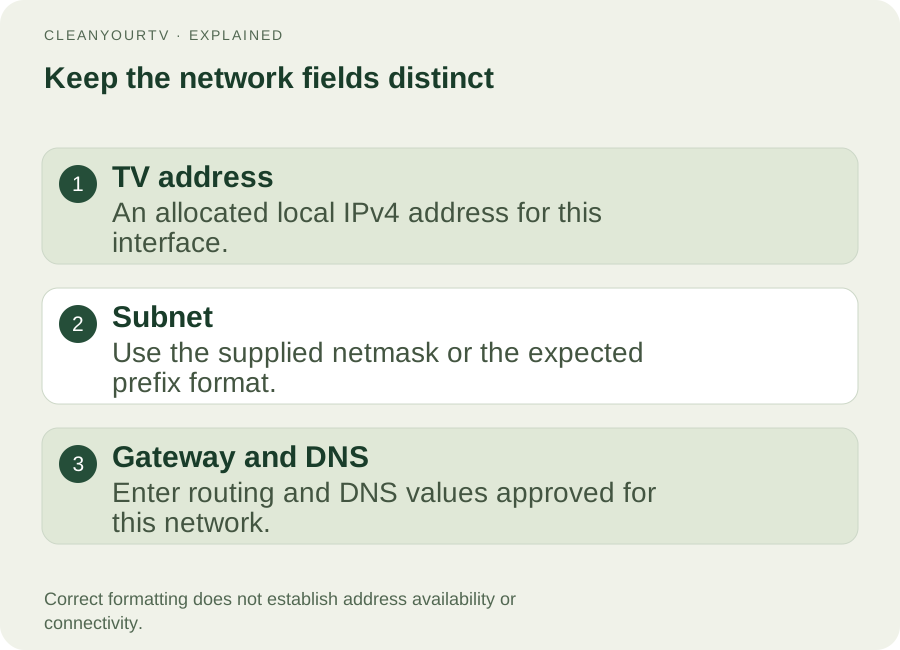
There is no universally safe set of Android TV static IP numbers. Do not copy another home's address, select a random unused-looking final number, or replace DNS with a public service simply because a tutorial does. The administrator must allocate an address and account for other assignments, including devices currently offline.
| Field on the TV | What you need |
|---|---|
| IP address | The local address allocated to this TV interface. |
| Netmask or network prefix length | The subnet information supplied for that address; these are different ways of expressing the subnet boundary. |
| Gateway | The router address specified for this local network. |
| DNS 1 | The DNS server assigned or approved for this connection. |
| DNS 2 | A second DNS server if the administrator and TV's setup require one. |
Confirm whether the menu expects a dotted netmask or a prefix length. Do not put a gateway into the TV-address field, append a debugging port to an IP field, or treat a MAC address as IPv4. If you cannot obtain the required values, keep automatic assignment and resolve that information gap first.
Writing an address in the correct format does not prove it is available. This Android TV static IP checklist cannot discover address conflicts or establish that a router will accept the proposed settings.
Apply an Android TV static IP using the matching manual
Keep the remote available throughout this step. A network change can disconnect a phone remote or computer connection. Change the active interface and complete its required fields before saving. Do not alter unrelated proxy, debugging, or home-control settings to follow a different manufacturer's walkthrough.
Sony Help Guide example
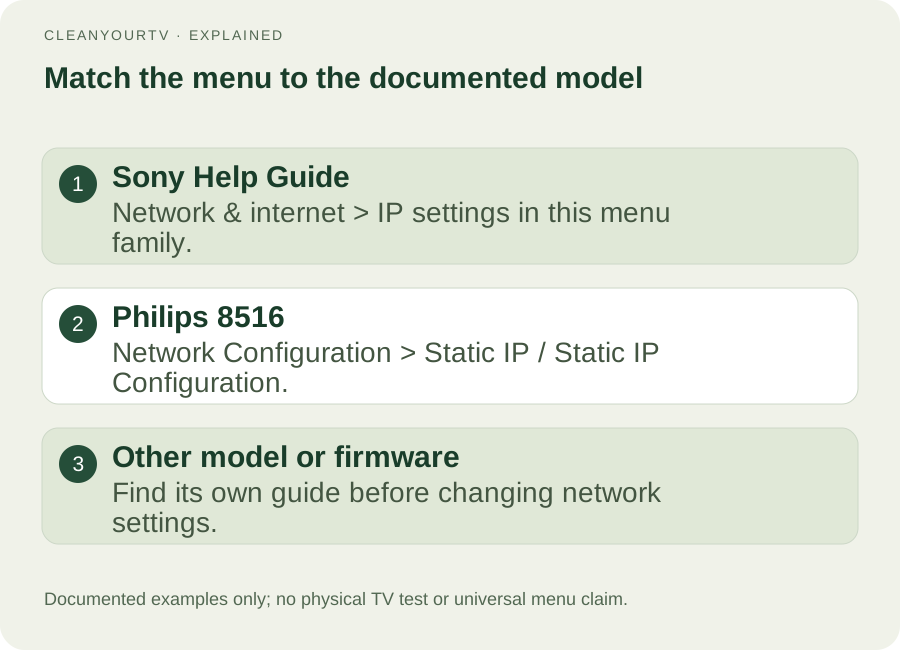
The Sony Help Guide for this menu family places IP settings under Quick settings → TV options → Settings → Network & internet → IP settings. It discusses DHCP and the alternative of setting a static address for advanced users.
Use that path only if your television's guide and menus match. This source does not establish a universal route for every Sony Android TV or Google TV model. If the labels differ, find the network section in your exact model's support guide before continuing.
Philips 8516 example
The Philips 8516 manual, covering 58PUS8516 and 75PUS8516, gives this route on printed page 32: Settings → Wireless and Networks → Wired or Wi-Fi → Network Configuration → Static IP. Then select Network Configuration → Static IP Configuration to enter IP Address, Netmask, Gateway, DNS 1, and DNS 2.
That is a documented Android TV static IP example for those models, rather than a promise that another Philips television has identical menus. Match the field names to your approved values, save as directed by the device, and reopen the connection details to inspect the result.
Check the result before relying on the address
After saving your Android TV static IP configuration, check the active interface's displayed address against the intended assignment. Open an ordinary online app and try a familiar action. Then reconnect or restart the device as appropriate and check the network details again. These checks test observable behavior; they do not certify that the address is conflict-free.
If the network stops working immediately after the change, restore DHCP before attempting unrelated fixes. If internet apps work but a computer helper cannot connect, verify that the computer can reach the same local network and update any saved target to the TV's current address. A fixed address does not enable debugging, approve an authorization prompt, or open a service port.
Use the connection troubleshooting guide for a refused, unauthorized, or offline helper result. Keep that separate from deciding whether the television obtained the intended network settings.
Return to DHCP if manual settings fail
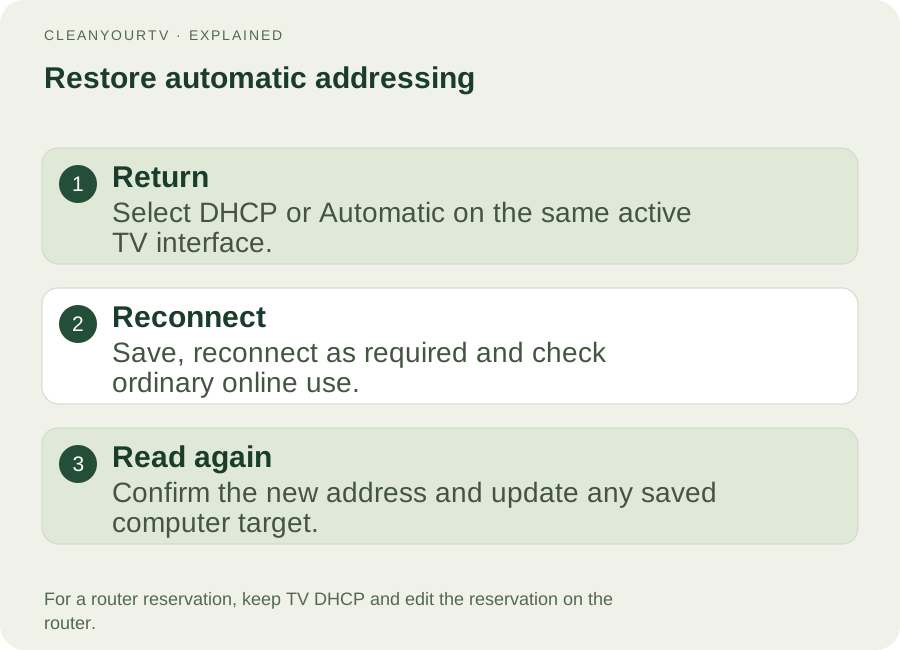
Your Android TV static IP recovery route is the same interface's IP-assignment menu. Select DHCP, Automatic, or the equivalent documented by your model, save, and reconnect if requested. Reopen its details to confirm that the router assigned working settings; the new address may differ from your earlier one.
If you created a router reservation instead, keep the TV on DHCP and edit or remove that reservation through the router's documented controls. Reconnect when the router's instructions require it. Removing a reservation does not mean you should type a different manual address on the television.
When the expected controls are missing or disabled, stop and consult the device manufacturer or network administrator. A factory reset or editing protected Android configuration files is not a routine substitute for a supported network menu.
Common questions
Will an Android TV static IP improve Wi-Fi speed?
A fixed address changes addressing behavior. It does not strengthen a weak radio signal or repair an overloaded internet connection. Establish that a changing local address is the actual problem before changing the network configuration.
Is this the same as buying a public static IP?
No. These steps concern a device inside your local network. An ISP's public or WAN address is a different setting; changing the TV's address does not purchase or configure that service.
Can I use the same settings on Wi-Fi and Ethernet?
Do not assume so. Check the active interface and the administrator's assignment each time you switch. For a stable local target, a correctly configured reservation or Android TV static IP still needs to belong to the interface and network actually in use.
INDEPENDENT READING
Confirm the address your TV actually uses.
After saving or returning to DHCP, reopen the active interface and copy the displayed address before updating a computer helper.
Find the current TV IP address →Sources and review notes
Sony Help Guide: network IP settings ↗Philips 8516 manual: network configuration, printed page 32 ↗Google Nest and Google Wifi: DHCP IP reservation ↗TP-Link: DHCP reservation and static IP ↗Reviewed October 23, 2026 against Sony and Philips documentation and router guidance. The illustrated paths are scoped to the cited model family. The local checker tests format and subnet consistency; it does not test a TV or network.