 CleanYourTV
CLEANYOURTV · Connection preparation
Find your Android TV IP address before connecting a computer
Check the address you copied
Checks format in this browser only. It does not scan your network, connect to a TV or upload your input.
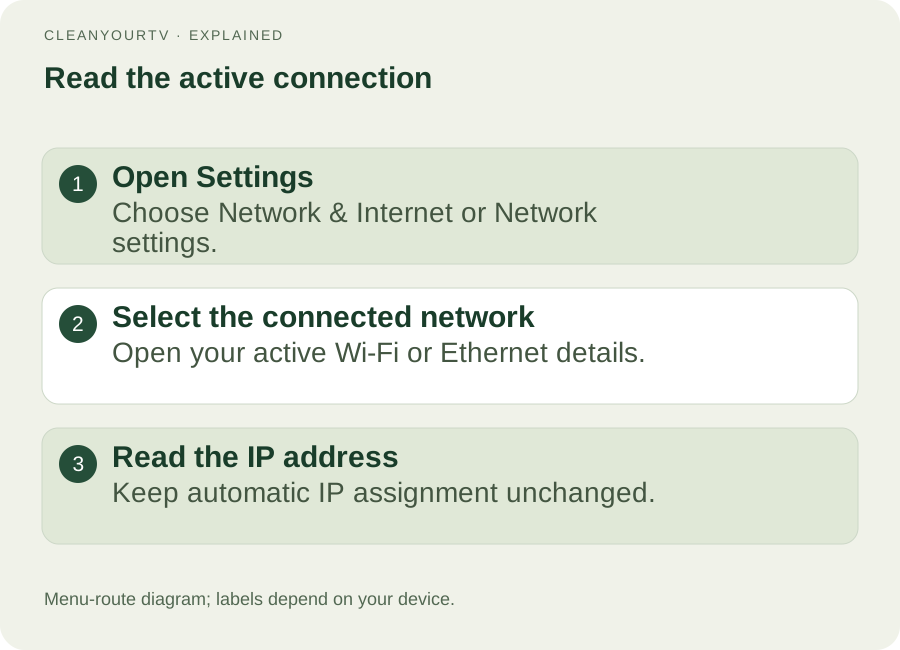
To find your Android TV IP address, open Settings, choose Network & Internet, and open the network currently marked Connected. Look for the IPv4 address. On some models, the same information appears under Device Preferences or System, then About and Status. Read the current value; you usually do not need to change any network settings.
This guide helps you copy the right local address for a computer connection, remote app or installation helper. The checker above identifies common copying mistakes. It cannot discover your television or prove a connection. Keep the TV awake and have its remote nearby while following the steps.
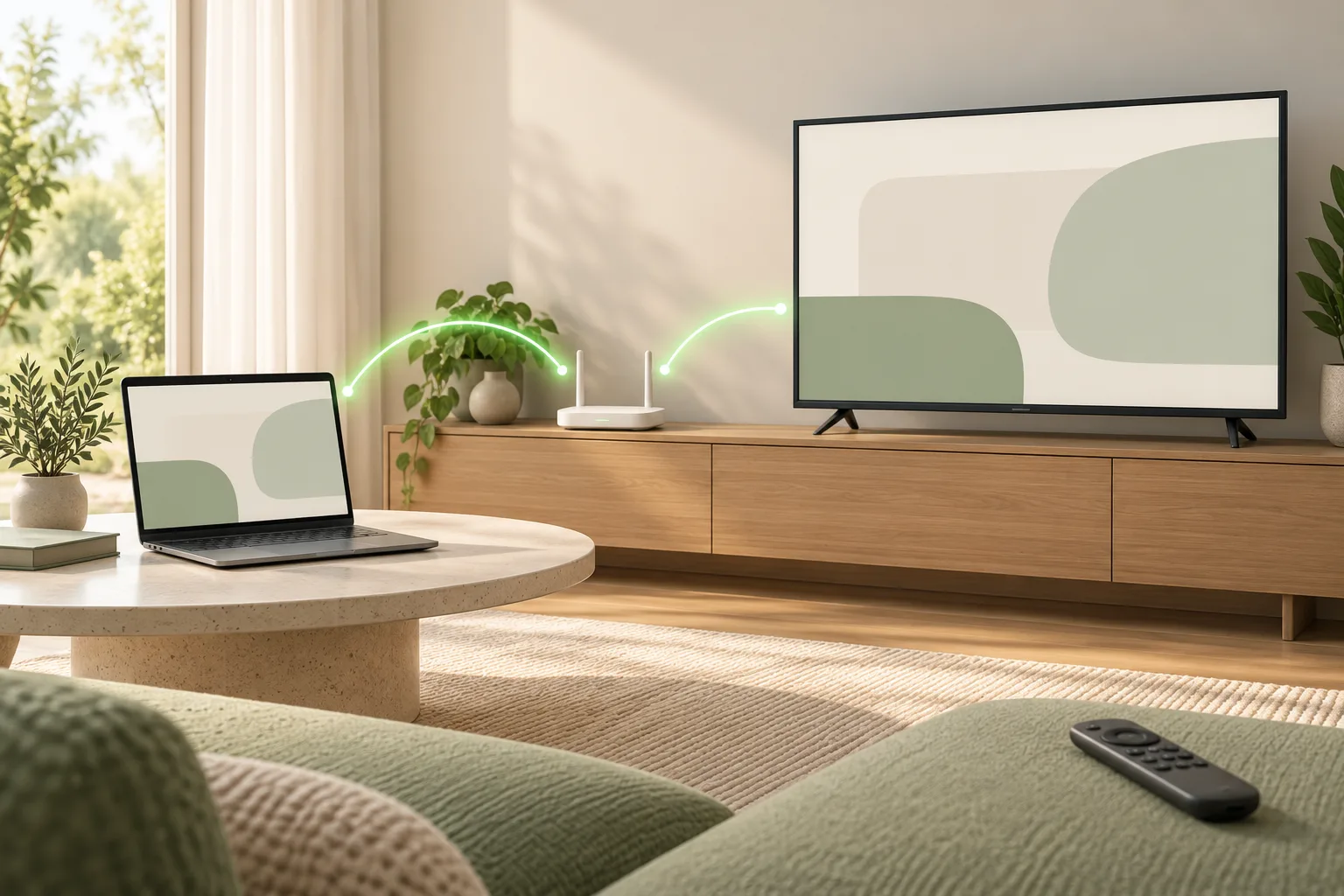
Find the address in the TV menu
Start from the television's own Settings screen, rather than the settings inside a streaming app. Select Network & Internet, Network, or Network Status, depending on the menu. Open the active Wi-Fi network. If the television uses a cable, inspect the Ethernet or wired connection instead. The address of an inactive connection may be absent or different.
For a Google TV device, first open the dashboard and choose the settings gear. A streaming box plugged into HDMI has its own settings and address: use the box's remote and menu if that is the device you want to configure. The television panel and the box are separate network devices even though their pictures appear on the same screen.
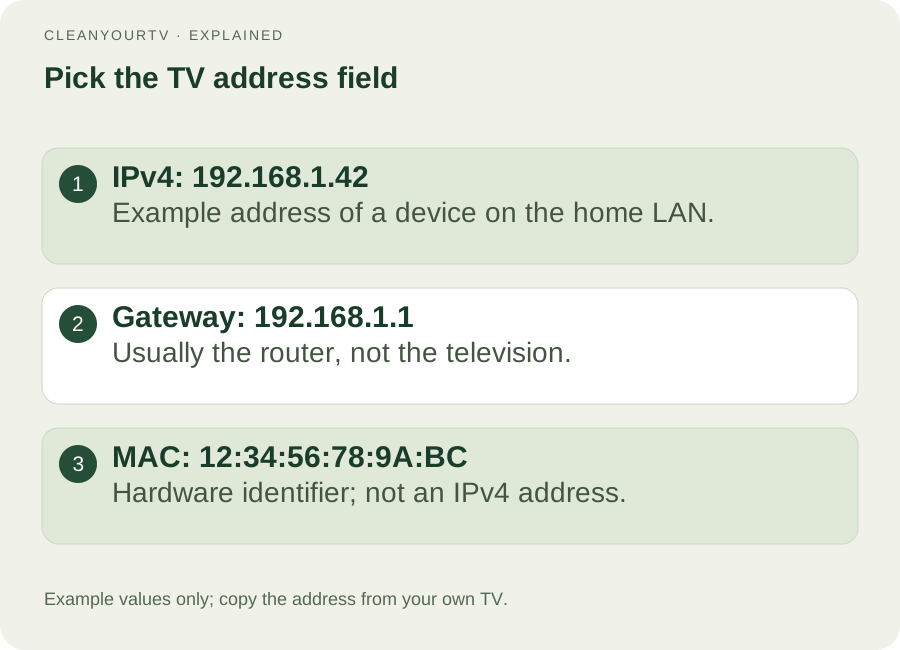
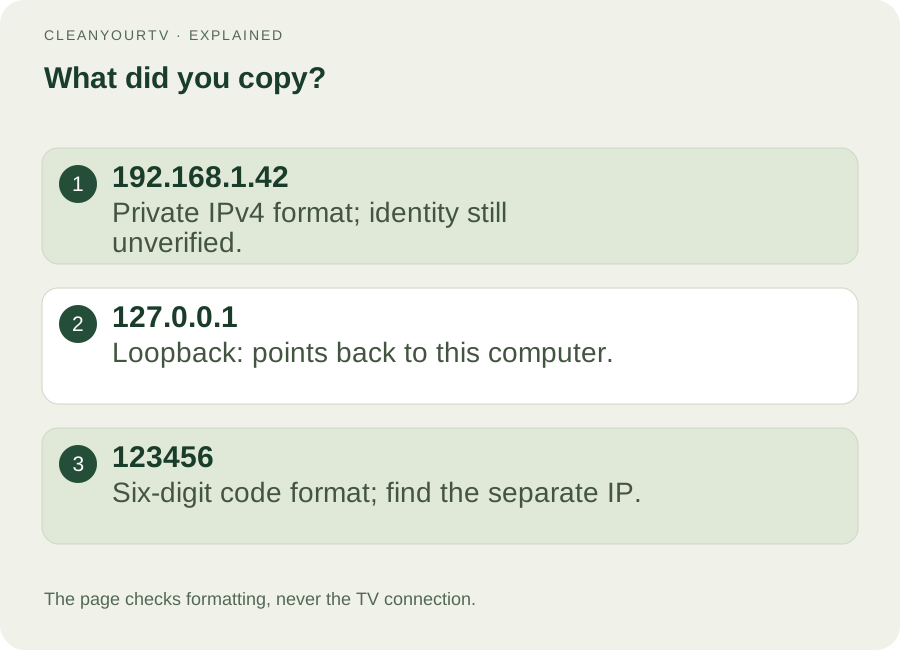
Your Android TV IP address is normally displayed as four numbers separated by dots. Copy all four groups exactly. For example, a TV might show 192.168.1.42. That is an illustration, not a universal address. Do not copy the numbers from this article into your helper unless your own screen independently shows the same value.
Choose the IP field, not the gateway or MAC
A network details screen can show several numbers together. The field labelled IP address or IPv4 belongs to that network interface. Gateway identifies the router. DNS identifies a name-resolution service. Subnet mask describes the network's addressing rules. None is a substitute for the television's current local address.
A MAC address usually contains six pairs of letters or numbers, separated by colons or hyphens. An IPv6 address can contain several colon-separated groups. The current CleanYourTV helper expects private IPv4 input, with a port when required. If both address families appear, choose the four-part IPv4 value for this workflow.
The Android TV IP address is also different from a public internet address shown by an online “what is my IP” website. That website sees the connection reaching its server, which may be a router or VPN exit. It cannot identify the correct television inside your home merely because you opened the page on a laptop.
Find your Android TV IP address without a remote
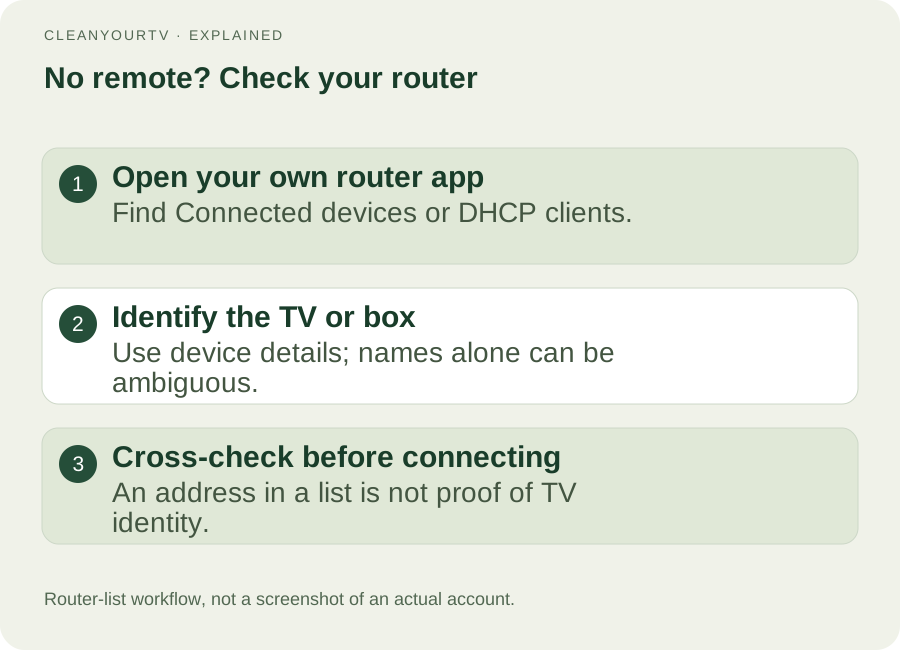
If you can access your own router's app or administration page, inspect its connected-device or DHCP-client list. Look for the TV or box model and its current local address. Device names can be generic, and old entries can remain after a device disconnects. Compare identifying details with information you already have rather than selecting the first item labelled Android.
Use the router's documented access method. This article does not supply a universal administrator password or ask you to change its settings. If several devices look identical, recover a working remote or use the manufacturer's supported remote method before proceeding. A guess can point the installation helper at the wrong device.
Finding an Android TV IP address without a remote does not remove later TV-side requirements. A new debugging connection may still require you to approve a prompt on the screen. The free helper's discovery feature also looks for supported network-debugging endpoints; it is not a general inventory of every smart TV on the network.
Check what the address tells you
Enter the copied Android TV IP address in the format checker above. It recognizes private IPv4 ranges used by this helper: 10.x.x.x, 172.16.x.x through 172.31.x.x, and 192.168.x.x. A matching format means only that the input fits those ranges. Another computer or your router can have a perfectly valid private address too.
If the TV shows 0.0.0.0, no address, or a 169.254.x.x value, return to its network connection details and check whether it has obtained an address from the home router. Keep automatic IP assignment enabled unless you have a specific, correctly planned network configuration. Changing random digits is not a reliable way to repair connectivity.
An address beginning with 127 points back to the computer running the local helper; it is not the TV target. A six-digit value is more likely a pairing code than an IP. These distinctions matter when switching between a TV screen, a browser window and an installation assistant, each of which can display a different kind of address.
Add a port only when the connection method needs it
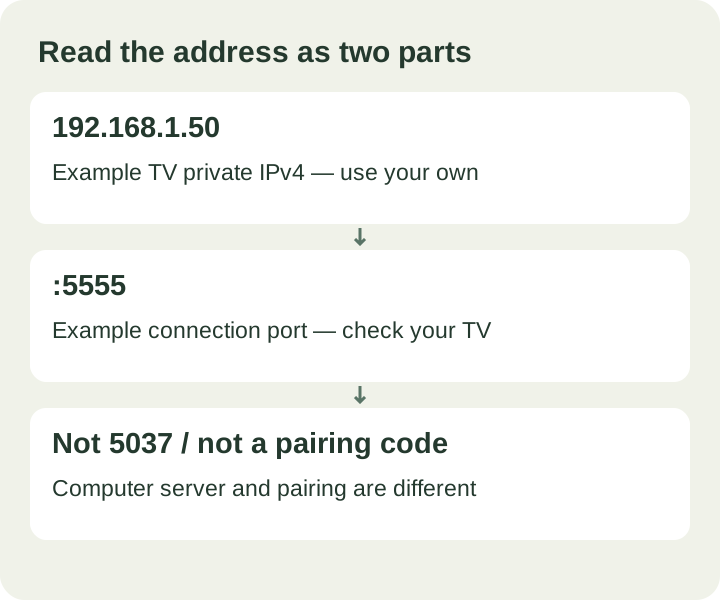
An Android TV IP address identifies the device on the network. A port identifies the service you want to contact. A complete target might look like 192.168.1.42:5555. The colon separates the two values. Some traditional network-debugging implementations use 5555, but the number is not a compatibility guarantee.
A screen offering Wireless debugging and a pairing code uses a different workflow. It can show one port for pairing and another for the actual connection. Never append the six-digit code to an IP or assume the pairing port is the connection port. Follow the Android TV wireless debugging guide to identify which menu you have.
Take the next step with a free connection check
Once you have the Android TV IP address, put the computer and TV on the same reachable home network and start the free connection check. If developer settings are still hidden, use the developer-options tutorial. If the helper reaches the device but reports refused, unauthorized or offline, use the connection troubleshooting guide for that specific result.
CleanYourTV changes the Home launcher on supported devices. The free check comes before the optional US$19 self-service purchase. It does not install a launcher or replace your Home screen merely by checking the connection. Review the installation steps when you are ready to continue.
Common questions
Does my Android TV IP address stay the same?
Not necessarily. Automatic assignment can produce a different address after a network change or a later lease. Reopen the current network details before reconnecting instead of assuming yesterday's saved target is still correct.
Is the address printed on the back of the TV?
The label may identify the model, serial number or MAC address. Your current router-assigned local IP comes from the active network connection; a printed hardware label cannot reliably provide it.
Does a valid address mean installation will work?
No. It confirms neither device identity nor debugging support. The actual connection must be reachable, authorized and supported by the helper. A pairing-only television needs a compatible pairing tool; buying a kit cannot add that protocol to the current helper.
START WITH A FREE CHECK
Check the connection. Then simplify your home.
Download the free Windows or Mac connection helper first. After the check passes, the US$19 one-time kit includes the launcher, guided installation and pictured instructions.
Start the free check →Check TV compatibilityUnsuccessful use? Discuss a refund by email.
Sources and review notes
Android Developers: Android Debug Bridge ↗Sony: Network settings and connection information ↗Reviewed 2026-10-21 against official guidance and current product capabilities. Diagrams are explanatory examples. Menus and network support depend on model and firmware; this is not a physical-device test.